Interface
Local queue
Browse, filter, and manage jobs on your workstation.
The local queue lists every job Eclipse knows about on this machine, grouped into sections such as Running, In Queue, Completed, and Failed.
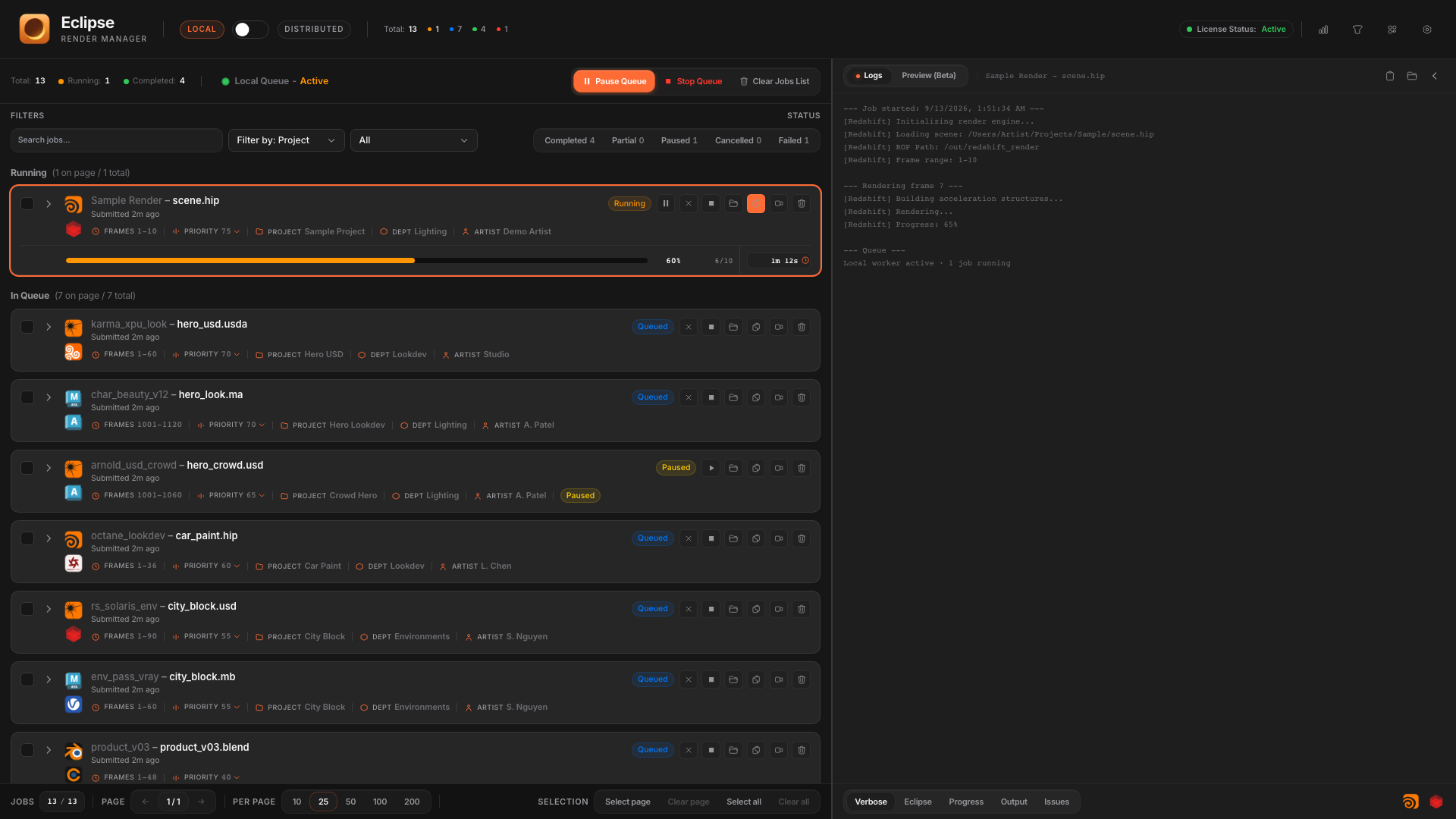
Job card
Each card shows DCC and engine icons, job name and scene file, progress, frame range, priority, project, artist, and submission time. Select a job to drive the Logs and Preview panels.

Search and filters
- Search by job name or scene.
- Filter by project and status chips (Completed, Paused, Failed, and others).
- Paginate long queues and change page size.
Queue toolbar
- Pause Queue: stop starting new work while letting the current frame finish as configured.
- Stop Queue: halt queue processing.
- Clear Jobs List: remove finished or selected jobs according to the confirm dialog.