Distributed rendering
GPU Frame Distribution
Run parallel Redshift and Octane slices on one multi-GPU machine using virtual GPU workers.
GPU Frame Distribution (often called GPU split) lets a single physical Render Node claim multiple farm slices at once, one per enabled GPU. Each GPU gets its own virtual worker id such as ripper.gpu0 and ripper.gpu1.
Who is supported
- Engines: Redshift and Octane farm jobs (Maya / Houdini Collect & Shared Path and standalone paths that bind GPUs).
- Hardware: machines with 2 or more GPUs listed by Refresh GPUs (via redshiftCmdLine -listdevices for the device list).
- Platforms: Windows and macOS Render Nodes only.
- Not for: Arnold, Karma, V-Ray, Cycles, Eevee, and other non-distributable jobs. Those keep using a single physical worker (or other nodes).
What it does
- Planning still counts one physical node in capacity / MAX_RENDER_NODES. You do not consume extra license seats per GPU.
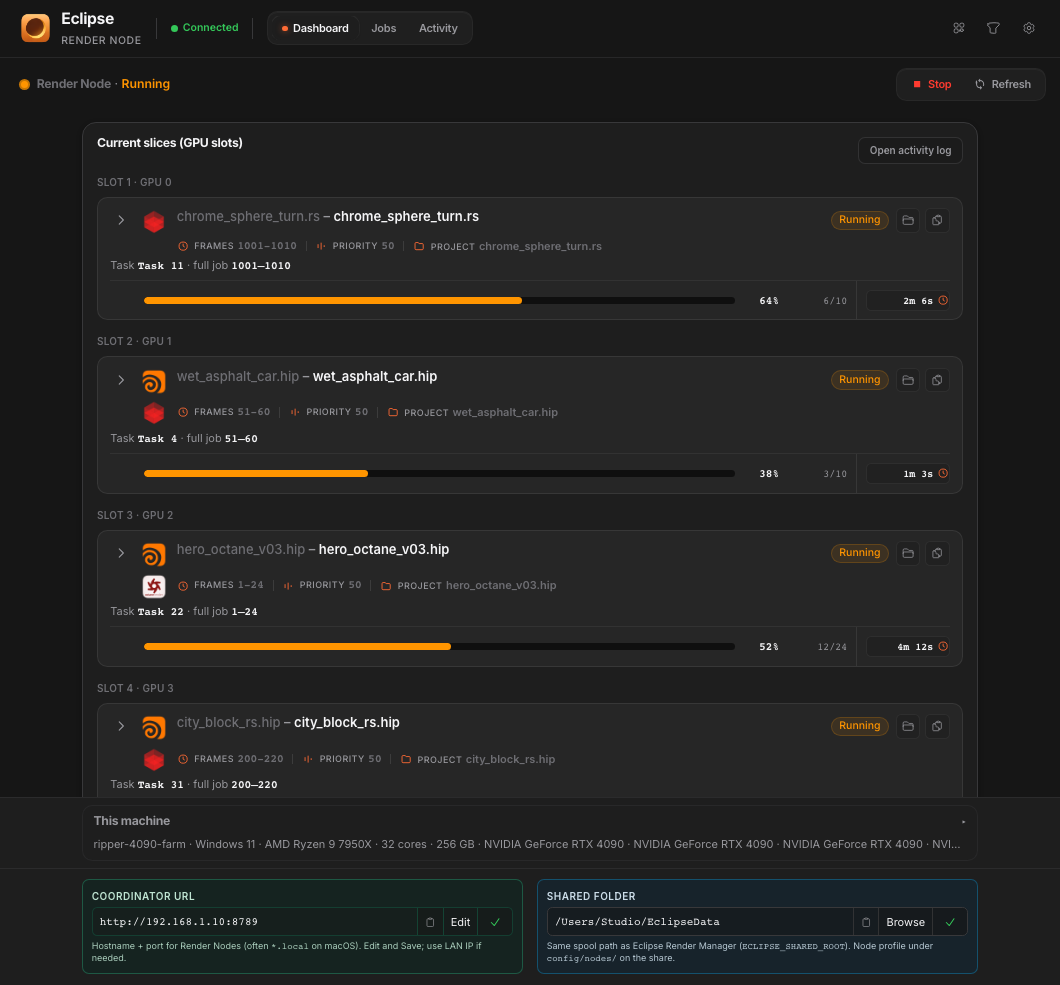
- At runtime the node starts N farm loops: one virtual worker per enabled GPU.
- Each virtual worker claims at most one slice, runs its own DCC or CLI session, and binds that GPU (Redshift: REDSHIFT_GPUDEVICES; Octane: GPU device flags).
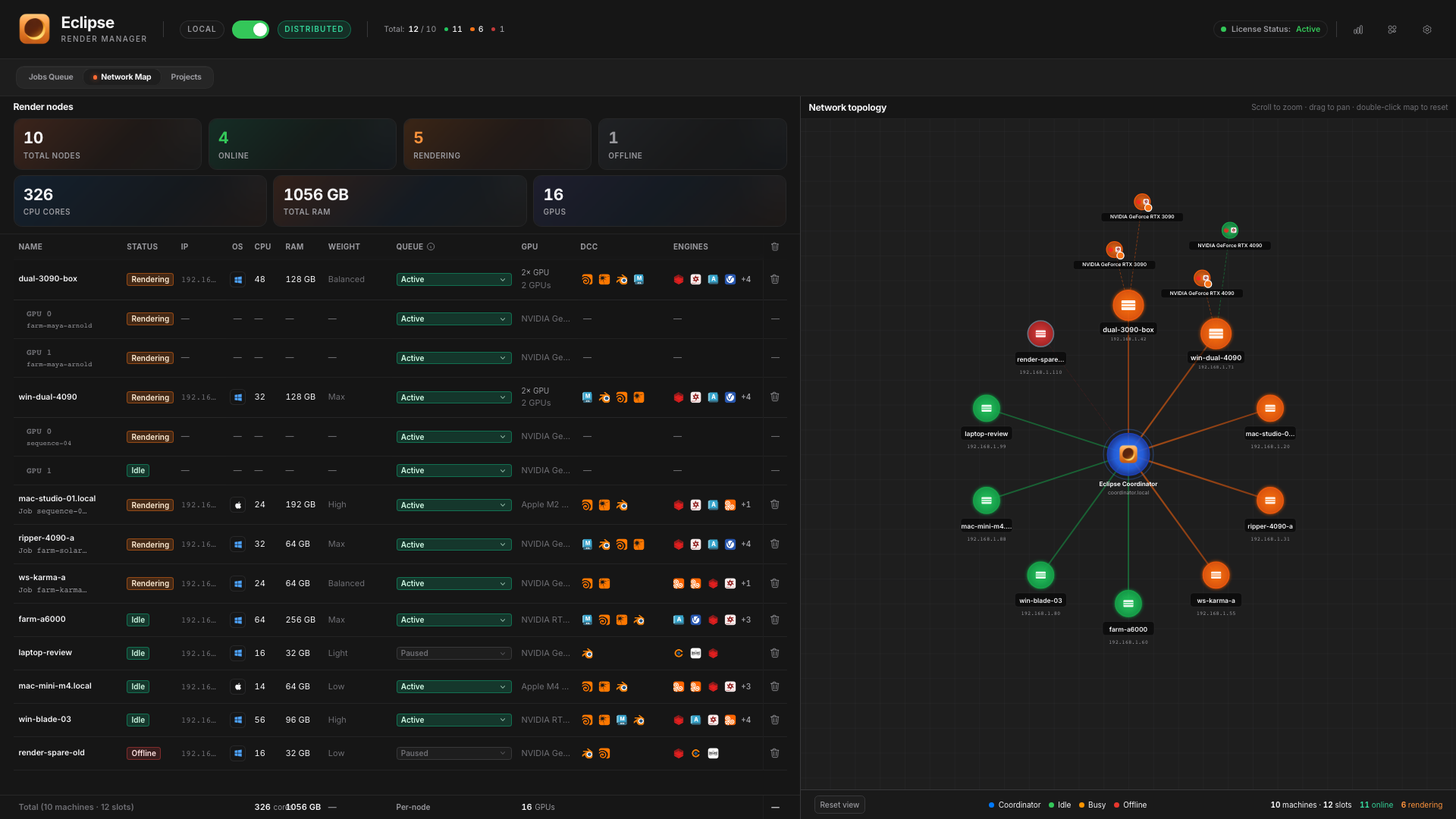
- Network Map shows the machine as a hub with GPU slots as satellites (for example .gpu0 / .gpu1).
- The artist still sees one farm job; slice rows show claimedBy as the virtual ids.
When it activates
- The machine has 2+ GPUs in the node profile device list.
- You enable at least two GPUs in the master selector (enabledDeviceIds).
- You turn on Distribute across enabled GPUs.
- You save the GPU settings to the node profile.
- A Redshift or Octane farm job has slices available for claim.
If fewer than two GPUs are enabled, the distribute toggle stays disabled. With distribution off, selected GPUs still pin the single physical worker (master GPU binding).
How to enable
- Open the Render Node app on the multi-GPU machine.
- Find GPU Frame Distribution (Render Node dashboard / settings area).
- Click Refresh GPUs to list devices.
- Enable the GPUs that should take farm work (chip toggles per GPU 0, 1, …).
- Turn on Distribute across enabled GPUs.
- Click Save GPU settings to profile (writes config/nodes/<physicalWorkerId>.json).
- Confirm Network Map shows .gpu0 / .gpu1 slots under that hostname when online.
Practical rules
- Each GPU needs enough VRAM for a full scene instance. Two parallel heavy Redshift sessions can OOM a card that was fine for one.
- Mix of Redshift/Octane with Arnold on the same node: virtual slots only take Redshift/Octane; other engines need another node or distribution off.
- Stopping the Render Node releases every active GPU slot.