Local render queue
One workstation.Ready to go.
Local mode is Eclipse on a single machine. No network to configure, no Coordinator, no Render Nodes. Install it, submit from your DCC, and the queue runs on that workstation.
One Eclipse license covers one Local seat on one workstation.
Who it is for
Built for a single workstation.
If all your renders live on one computer, Local is the mode. Freelancers, small teams, or anyone who does not need a farm yet.
- Install Eclipse on the machine you already render on.
- Submit from your DCC the way you always do.
- Jobs line up and run in order while you keep working.
- No network setup. No farm pieces to learn.
Local queue
One machine · in order
hero_shot
RunningMaya

product_turn
QueuedBlender

lookdev_v03
QueuedHoudini

still_pack
DoneCinema 4D
Ready to go
Zero network configuration.
Local mode never asks you to wire machines together. There is no Coordinator and no Render Node app. Open Eclipse on that workstation and start.
- One install on one computer.
- Queue, Preview, logs, and capabilities all on that machine.
- Flip to Distributed later if a second box joins. Until then, stay Local.
Licensing
One license. One local seat.
An Eclipse license is one Local seat: one workstation running Local mode. Activate that machine and render. Need more machines on the same queue? That is Distributed.
- 1 Eclipse license = 1 Local seat on 1 workstation.
- No shared farm seats in Local. The queue is that machine only.
- Same app when you grow. Licensing scales with how you work.
The queue
Running, queued, done. One clear list.
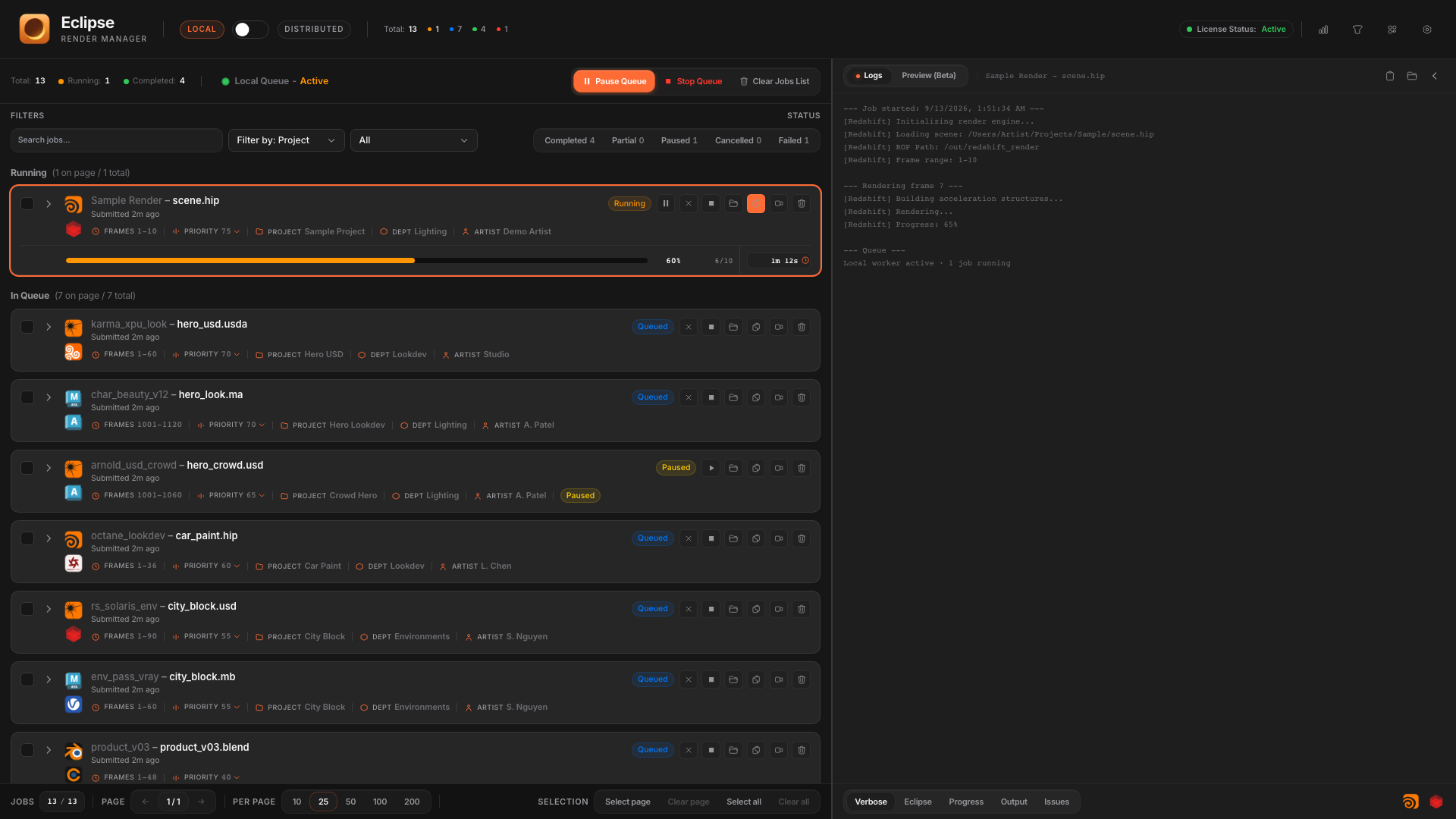
See what is rendering now, what is waiting, and what finished. Filter, sort, and stay oriented without leaving the dashboard.
- One slot on this machine: jobs go in order.
- Progress and status on every card.
- Same dashboard language if you later flip to Distributed.
Job cards
Everything about the shot, at a glance.
Frames, DCC, engine, elapsed time, and progress sit on the card. Expand when you need the frame list. Actions live on the card too.

From the card
Open the render folder. Jump to logs. Preview.
One click on the job card opens the output folder in Finder or Explorer. Same row for View logs, Preview, Relaunch, and the rest. Right-click adds scene folder, log folder, and Reveal job JSON.
- Open output folder: go straight to where frames land.
- View logs and Preview without leaving the queue.
- Relaunch, stop, and delete stay on the same card.
- Context menu for scene folder, log folder, and job JSON.
On the job card
Folder, logs, preview, relaunch.
Jump straight to the render folder for this job. Finder or Explorer, no path hunting.
Right-click also opens scene folder, log folder, and Reveal job JSON.
Relaunch
Redo the shot. No new DCC submit.
Succeeded, failed, partial, or cancelled: open Relaunch from the card or context menu. Tweak label, priority, or frame range, then queue a new job on this workstation.
- Creates a new local job with the same scene and settings.
- Change the frame range, priority, or label before it goes back in the queue.
- Relaunch a single frame from the expanded Frames list when you only need one.
- Bulk-select eligible cards and relaunch several jobs at once.
Relaunch job
Optionally change metadata and frame range before re-queuing.
Queue controls
Pause the queue. Stop the active job. Clear the done list.
You stay in charge without digging through menus. The toolbar is right where the queue lives.
Queue toolbar
Pause, stop, clear. Stay in control.
Hold new starts. Running jobs finish.
Logs
Verbose when you need it. Issues when something breaks.
Open the right panel and read what the renderer said. Jump between jobs without losing context.
Preview
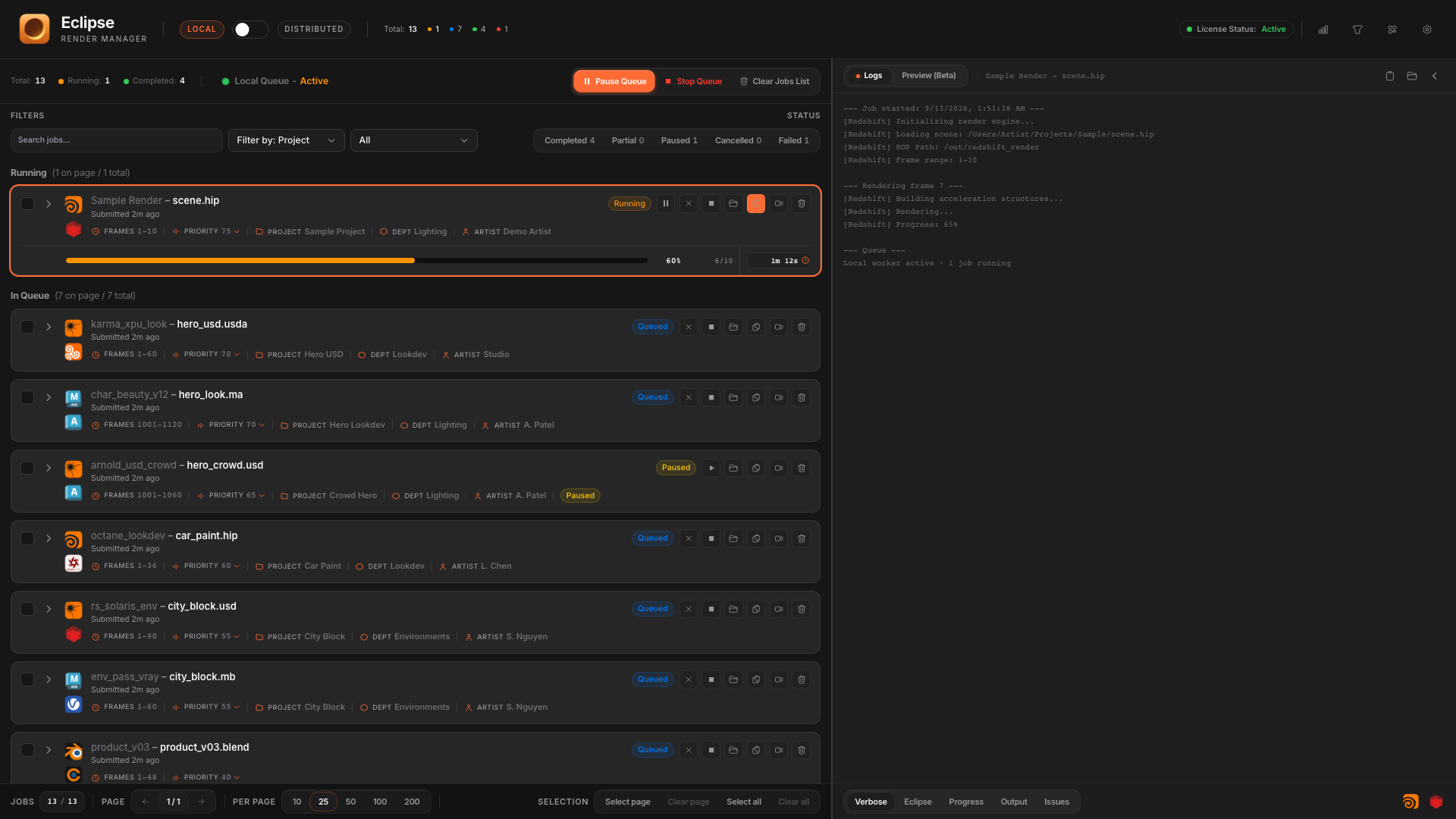
Scrub frames. Flip AOVs. Catch issues early.
While jobs write frames, Preview lets you inspect beauty and passes without opening another app.
EXR supported. Multipart EXR not yet.

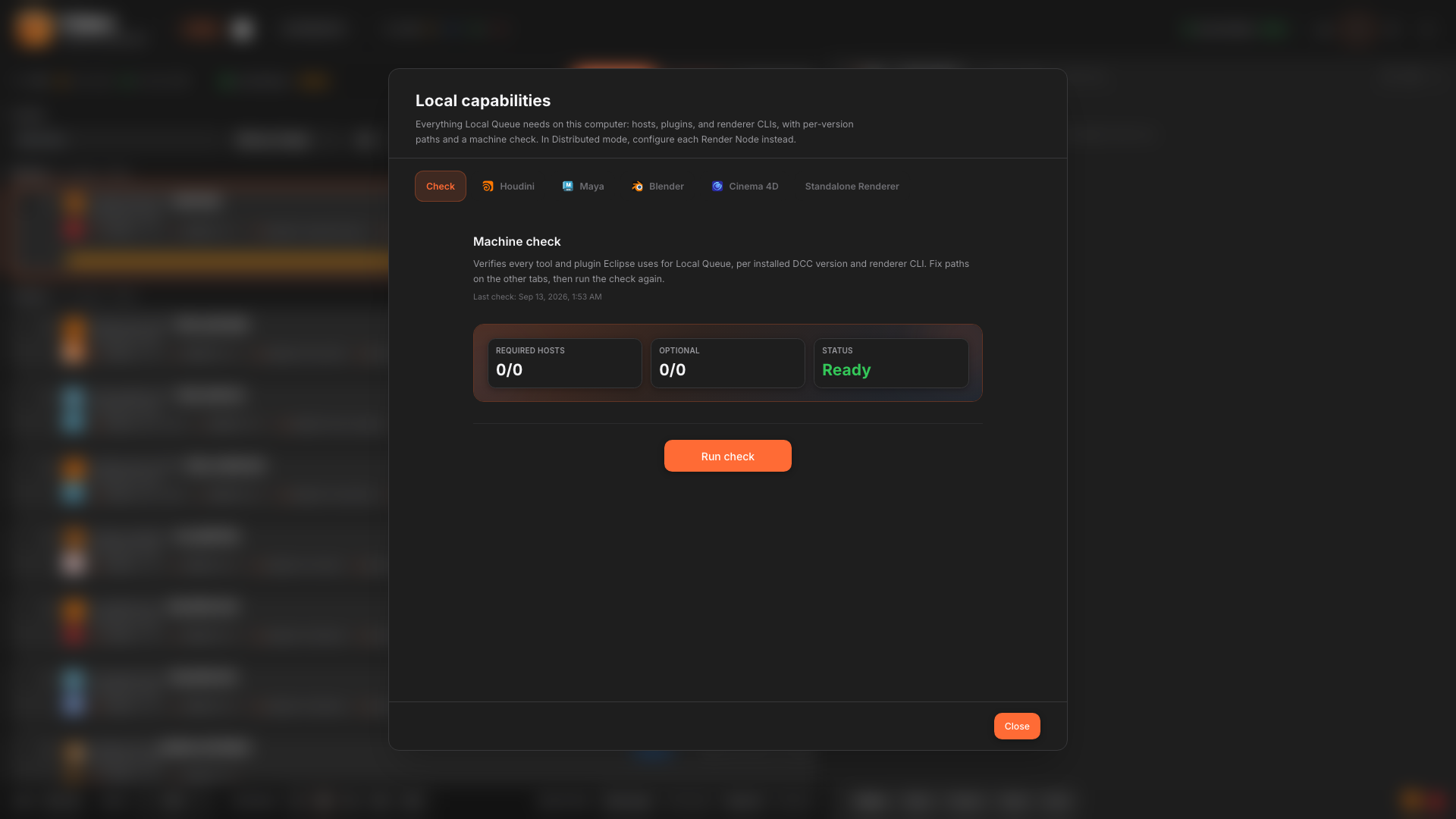
Local capabilities
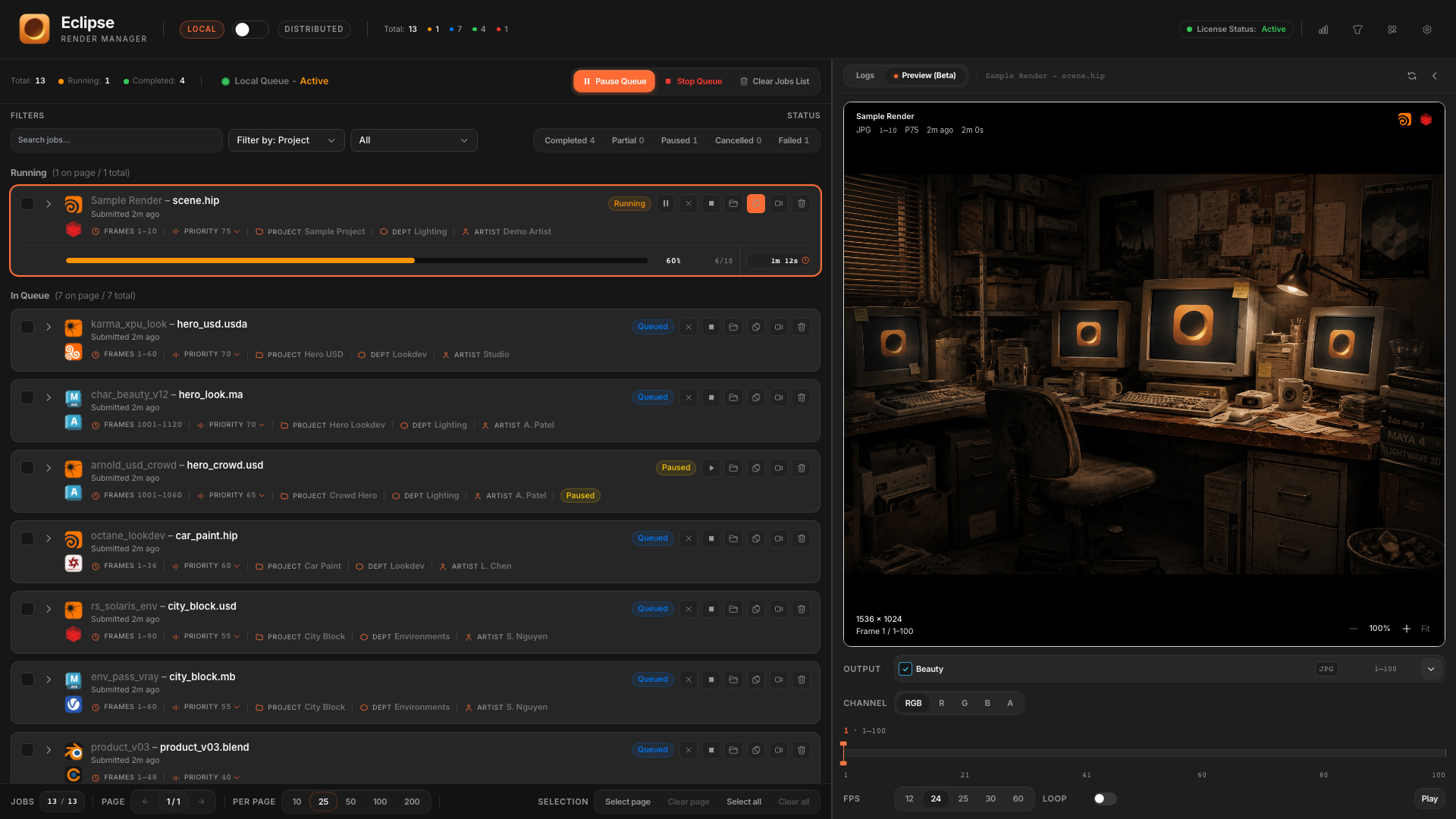
Eclipse finds what this machine can run.
Detected DCCs and engines show up clearly. Fix a path once. The local queue stays honest.
- See what is installed and ready.
- Align paths so jobs do not fail on missing hosts.
- No IT checklist. Built for people who just want to render.
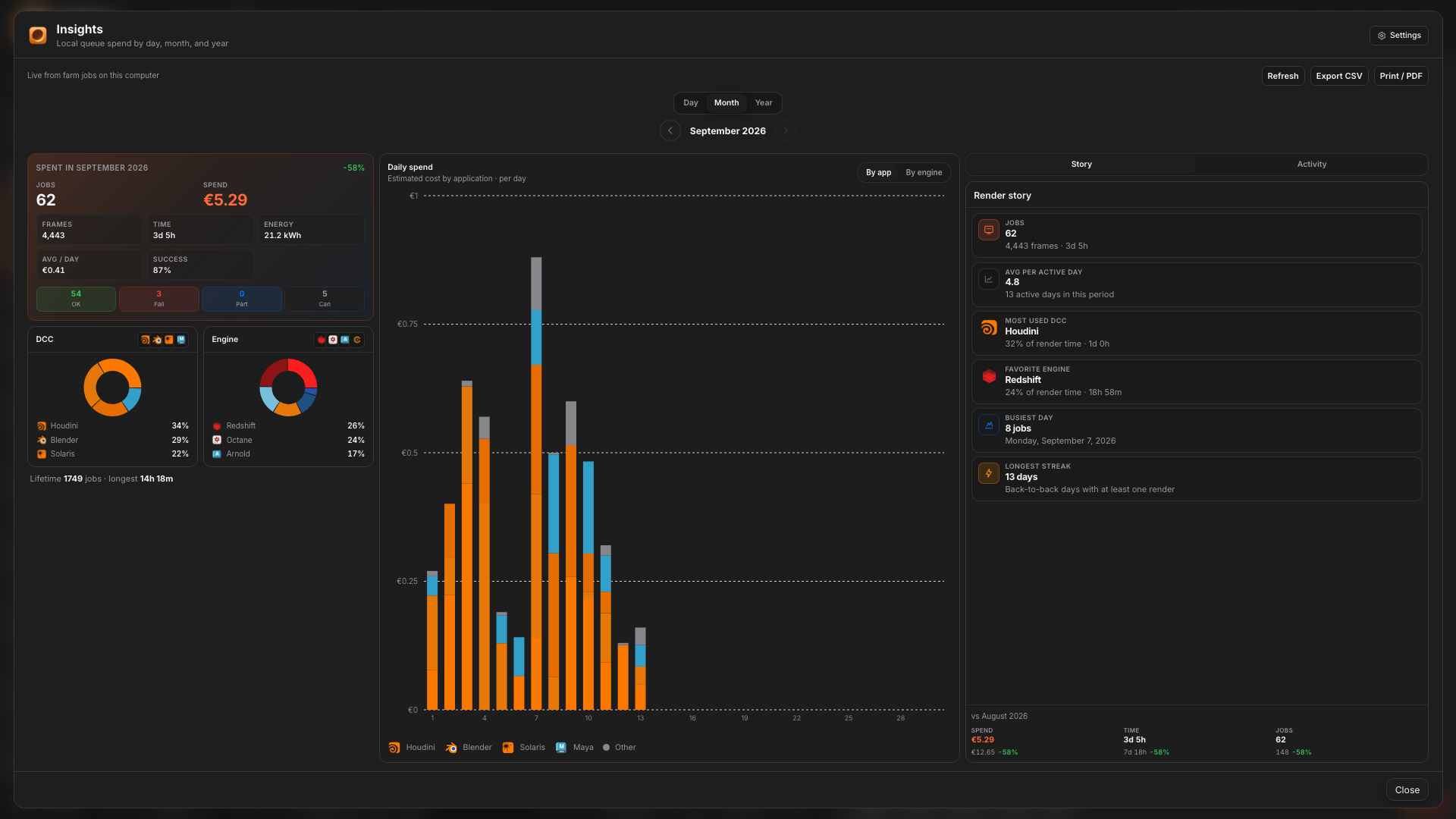
Insights
Know what this machine burned.
Local Insights tracks spend and activity on your workstation so overnight work is not a black box.
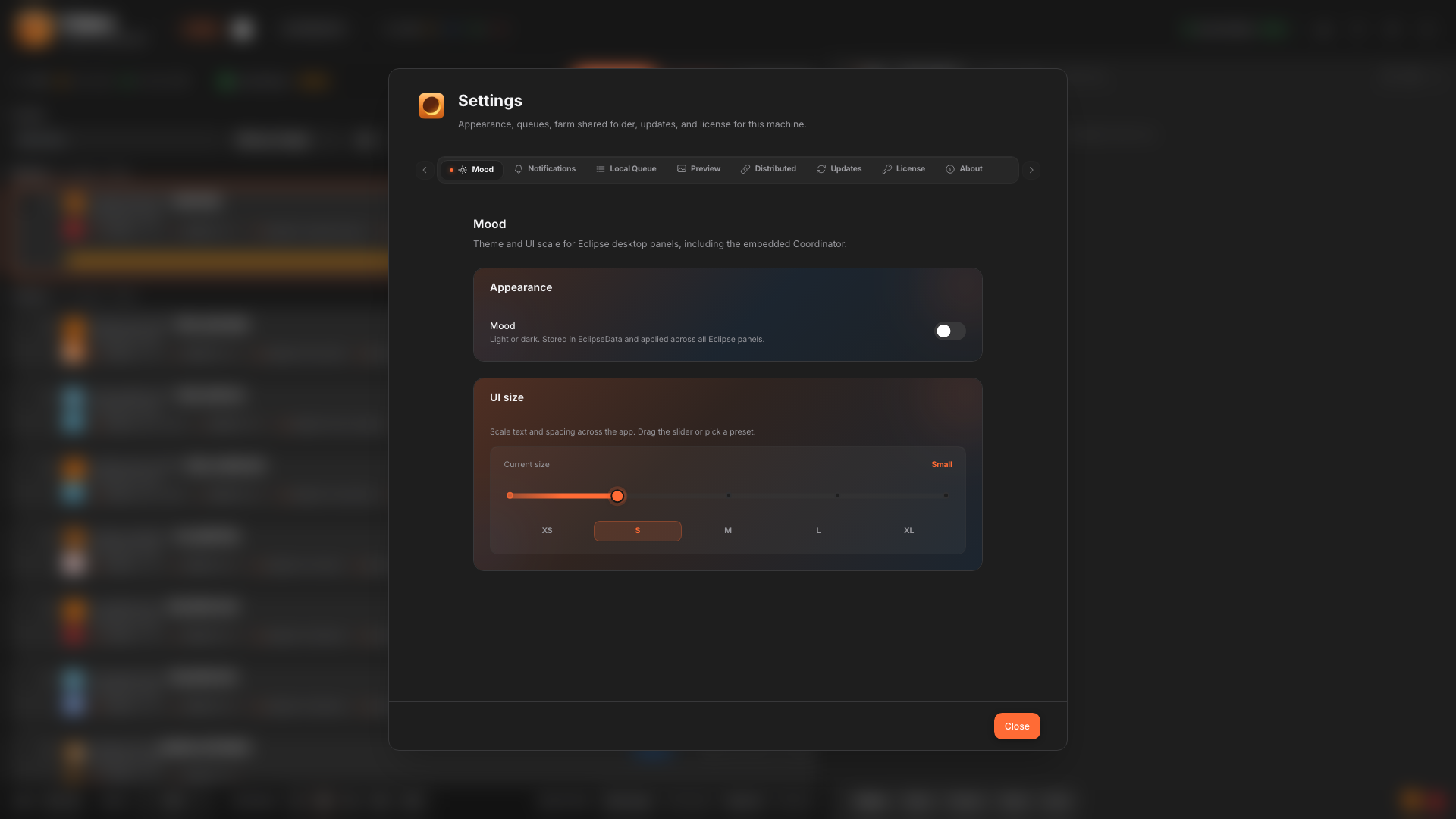
Preferences
Appearance, notifications, queue behavior.
Theme, UI scale, mail when jobs finish or fail, and local queue options. Tune Eclipse to how you work.
When you grow
Same app. Flip to Distributed.
Add Render Nodes when a second machine joins. Local stays available anytime you want the single-workstation queue with zero network setup.