Distributed render queue
One job.Multiplied.
Eclipse on one machine. Render Node on the rest. Connect once, submit once, and the farm takes the shot.
Up to 10 Render Nodes. Mac and Windows together. No Linux nodes.
Who it is for
Free your desk. Cut the clock.
Distributed is for freelancers who keep creating while another box renders, and for small studios that split one job across more machines to finish faster. Same Eclipse dashboard as Local. Farm jobs and slices under the hood.
Create here. Render there.
Keep sculpting, lighting, and iterating on your desk while another machine eats the frames. That is the point.
Mac for craft. PC for heat.
Build on a Mac that stays snappy. Push finals to a loaded Windows box. Same job. No babysitting the heavy machine.
* Mixed Mac and Windows farms work best with Collect & Package so paths and dependencies land cleanly on every node.
Two boxes. Or ten.
Start with one Render Node beside you. Grow to a short farm when the show needs it. Mac and Windows on the same queue.
Install
How Distributed starts.
Two installs. One Coordinator. Then every worker points at the same connection URL.
- Install Eclipse Render Manager on one PC. That machine submits and runs the Coordinator.
- Install Render Node on every machine that should render, including the ERM PC if it joins the pool.
- Start the Coordinator, copy its URL, paste it in Eclipse and on every Render Node.
- Leave nodes Active when they should take work. Pause a desk when you need it interactive.
How Distributed starts
One ERM. Render Node on every machine that renders.
- 1
Install Eclipse Render Manager on one PC. That machine submits jobs and runs the Coordinator.
- 2
Install Render Node on every box that should render, including the ERM PC if you want it in the pool.

Your PC
ERM + Render Node
render-win-01
Render Node
render-win-02
Render Node
mac-studio
Render Node
Coordinator URL · Shared folder
The two settings that make the farm real.
Every machine needs the same Coordinator URL and the same shared folder on the network. A NAS or a small server is recommended, but a normal shared folder works. Then keep projects, packages, and frames under that root.
Coordinator URL
Where every machine points
Start the Coordinator on a stable machine. Copy the URL into Eclipse → Settings → Distributed, then paste the same URL on every Render Node. Artists only need outbound access to that host.
Prefer wired Ethernet for the Coordinator and overnight boxes. Wi‑Fi works for a desk check, not for a busy farm.
Shared folder
One root every machine mounts
Put projects, packaged submits, and rendered frames in a folder shared on the network. Artist PCs and Render Nodes must see the same path. A NAS or a small server is recommended; a shared folder on any always-on machine is enough to start. Mixed Mac/Windows farms need matching mounts or path pairs.
Keep textures and caches on that share too. Local-only paths are why Shared Path jobs fail on other nodes.
Ideal layout
One share. Clear folders. Machines on the same path.
Shared folder
Network share · NAS · or small server
/Volumes/EclipseShare
projects/
Shows and packaged submits from Collect & Package or Shared Path.
renders/
Frames land here. Preview and Insights read from the same place.
exports/
Standalone intermediates (.rs, .ass, and friends) for engine CLIs.
A shared network folder is enough. A NAS or small server is recommended when the farm stays busy overnight.
How a job runs
Submit once. Coordinator plans. Nodes claim slices.
From the DCC you pick Distributed, choose a submission mode, set frames, and Submit. Online nodes pull continuous frame slices and write frames back to the share.
- The Coordinator splits the frame range into continuous slices.
- Faster machines tend to take bigger ranges so each box loads the scene once for its part.
- Progress in Eclipse is the sum of slices. Open a job to see which host rendered which frames.
- When something fails, farm relaunch covers the shot without a full DCC resubmit.
Distributed
One job · many machines
Eclipse splits the sequence
Continuous ranges per computer. Scene loads once per slice.
1-120
50%
121-200
33%
201-240
17%
render-win-01
Highest power
50%
mac-studio
Solid workstation
33%
render-win-02
Lighter machine
17%
Faster machines take bigger slices. Mac and Windows on the same queue.
Submission modes
How the scene reaches every node.
Collect & Package is the safest default when machines differ. Shared Path is for shows already on a network share. Standalone ships engine intermediates. USDZ Package sends a Solaris stage as one USDz on the share.
Best day-to-day choice when paths are messy or machines differ.
Collect & Package
Eclipse gathers the scene and dependencies, packages them onto the share, and rewrites paths so every Render Node sees the same tree.
Use this when textures still live on a desk drive, when Mac and Windows mounts differ, or when you do not want to babysit path hygiene. The package lands under the shared root; nodes open that tree, not your local disk.
- Packages under projects/<dcc>/collect_package on the share.
- Repaths assets so nodes do not chase local-only files.
- Preferred default for Houdini, Maya, and Blender farm submits.
- Safer than Shared Path until the show is fully share-native.
Network Map
Coordinator in the middle. Nodes come online.
Watch Render Nodes appear, go Idle, then Running as they claim slices. Same idea as the Network Map in Eclipse.
Node Weights
Finish together.
Weight the split so mixed machines land at once. No idle wait. No one-frame reclaim tax.
- Light to Max on every Render Node.
- Stronger machines take more frames.
- Finish lines align. Fast nodes do not sit idle.
Node Weights
100 frames · mixed machines*
Finish together

No idle gap
2× RTX 4090
56 frames
M3 Max
33 frames
Laptop GPU
11 frames
Idle 0
* Simulation to show how Node Weights work. Not live farm data.
Farm jobs
One queue for the whole farm.
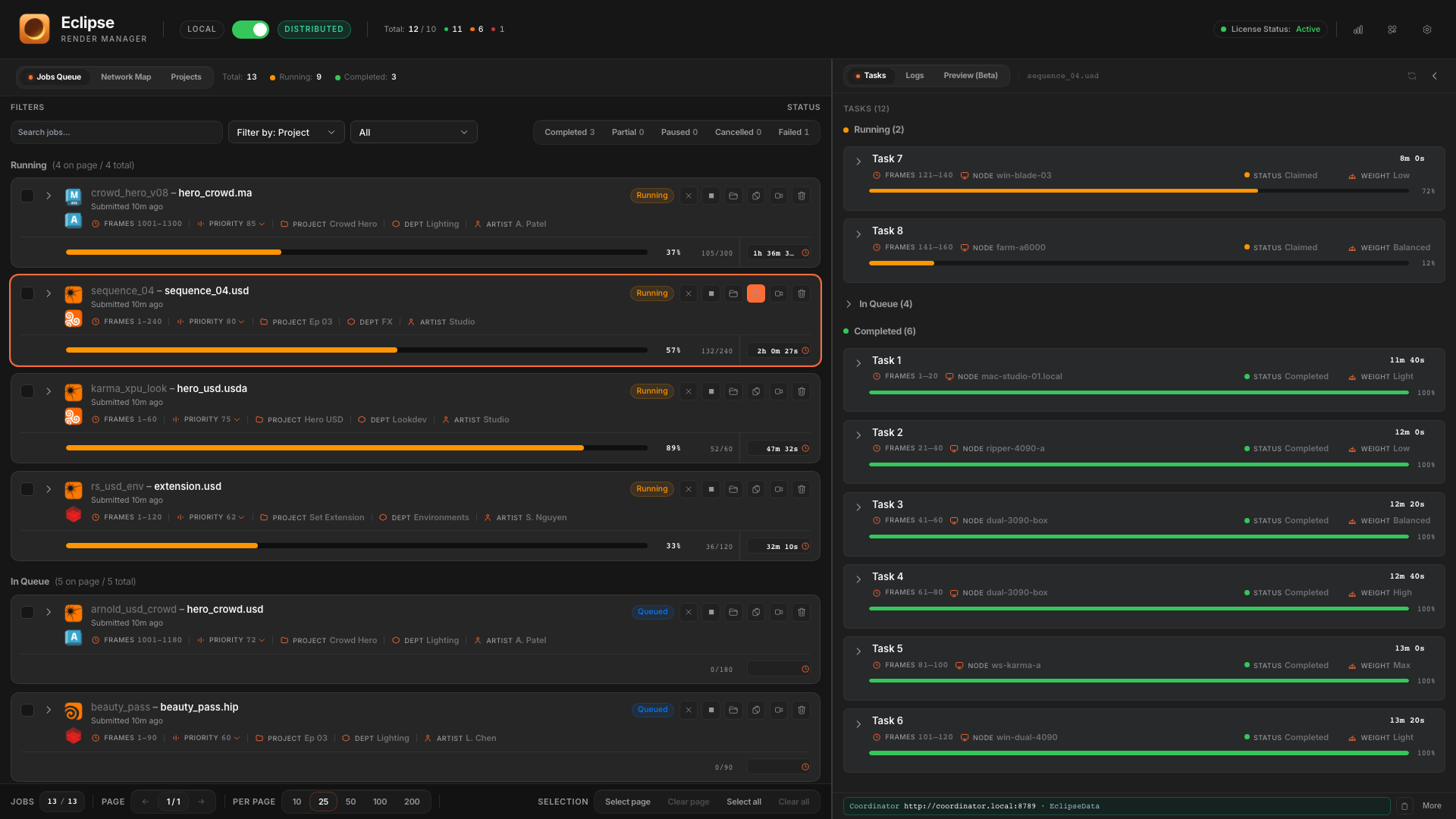
Submit once and watch the shot move. Progress on the full job while free machines pick up the next chunk of frames.
- Submit once. Eclipse splits the work across the farm.
- Free machines pick up the next chunk and keep going.
- With GPU split on, each card on a box can take its own piece of the job.
From the card
Open the render folder. Jump to logs. Preview.
Farm job cards keep the same habits as Local. Open the output folder on the share, view logs, preview frames, or relaunch. Right-click also reaches the scene folder, log folder, Reveal job JSON, and Go to project.
- Open output folder: frames on the shared render path, one click.
- View logs and Preview beside the farm queue.
- Relaunch from the same card when a slice or range needs another pass.
- Context menu: scene folder, log folder, job JSON, and Go to project.
On the job card
Folder, logs, preview, relaunch.
Jump straight to the render folder for this job. Finder or Explorer, no path hunting.
Right-click also opens scene folder, log folder, and Reveal job JSON.
Relaunch
Redo the farm without resubmitting the shot.
Distributed relaunch goes further than Local. Keep the same job and requeue what failed, or spawn a new job from a task. Full job, failed frames only, per-task options: all from the Relaunch dialog and the expanded job.
Failed frames only
Keep this job ID. Queue pending work for incomplete or failed frames without re-rendering frames that already succeeded.
- Button: Requeue failed frames only.
- Completed frames stay done. Only the gaps come back.
- Best first fix when a few frames died overnight.
Logs and Preview
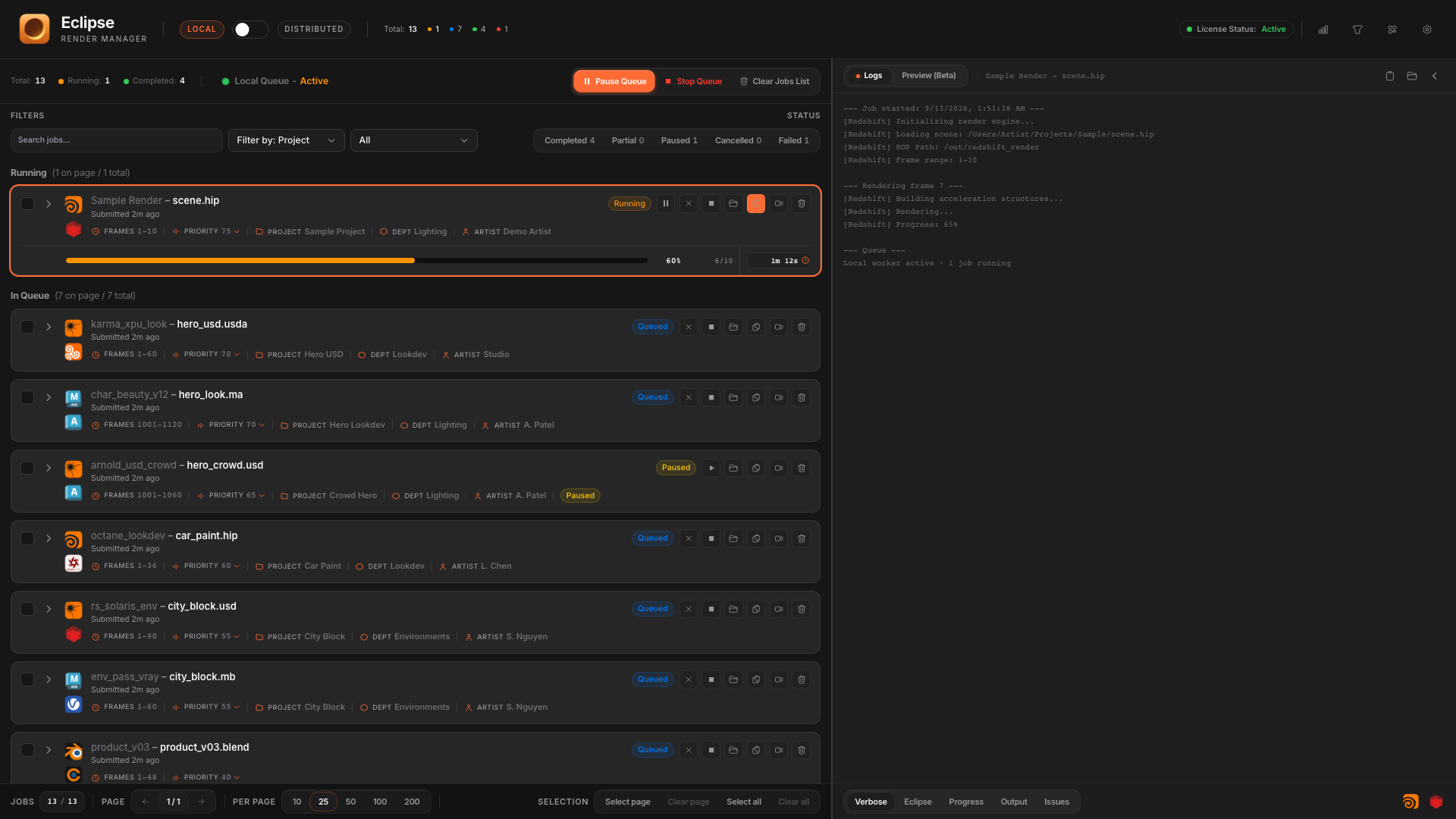
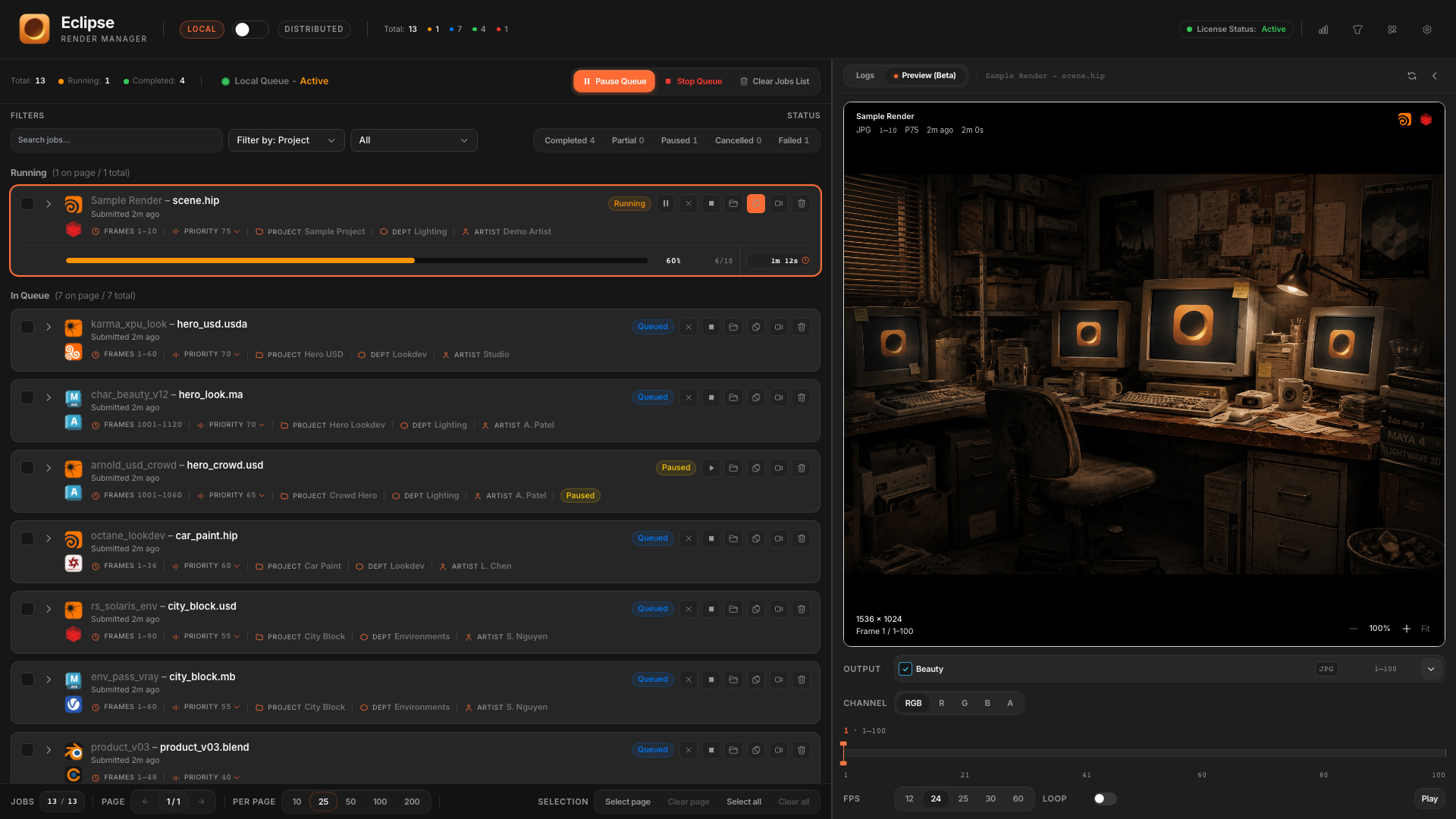
Farm jobs still have Logs and Preview beside the queue.
Diagnose a slice, scrub frames from shared storage, and keep the same right-panel habits you learned in Local.
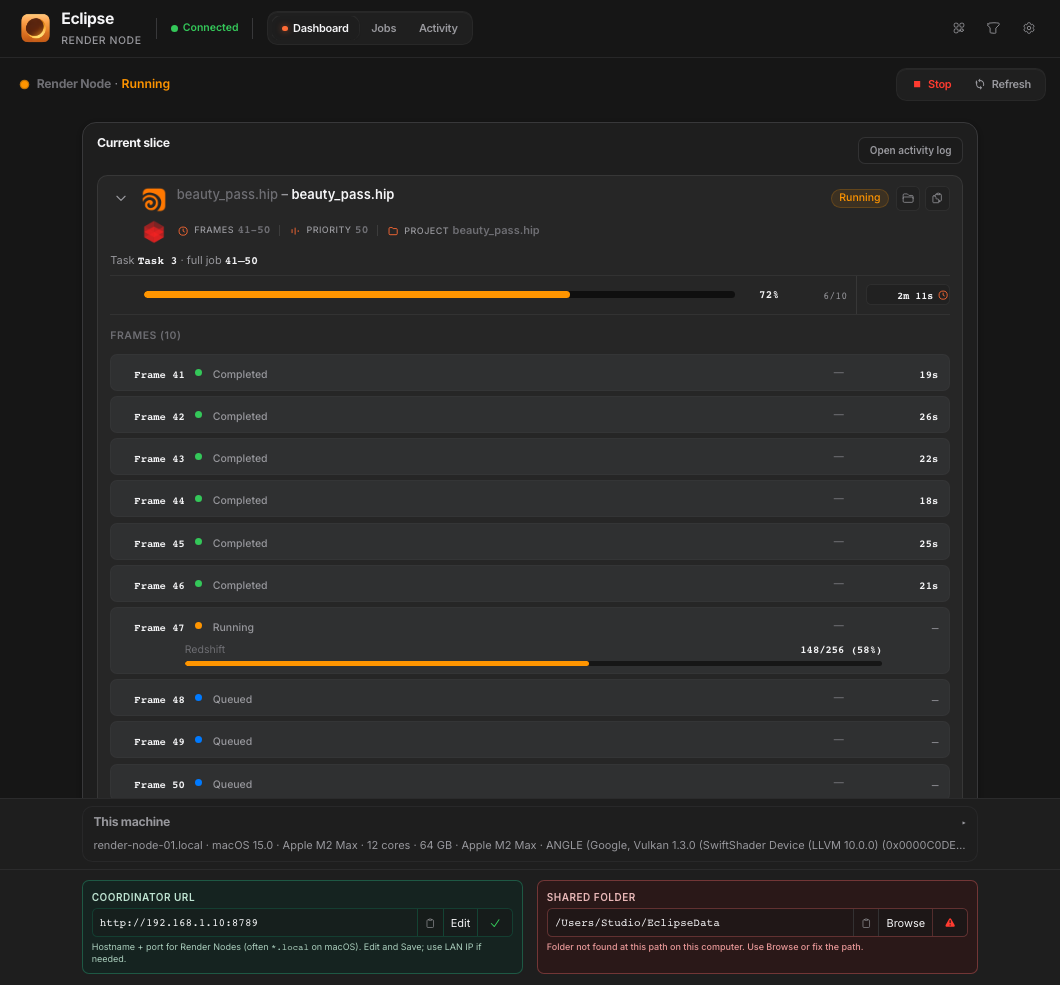
Render Node
Install Render Node on every machine that renders.
Connect to the Coordinator. That machine pulls slices, renders, and reports back. Keep it Active when it should work; pause it when the desk is for interactive use only.
- Worker app separate from the Eclipse dashboard.
- Active, Busy, or Paused scheduling on each box.
- GPU Frame Distribution for multi-GPU Redshift and Octane nodes.
Projects
Think in shows, not only job ids.
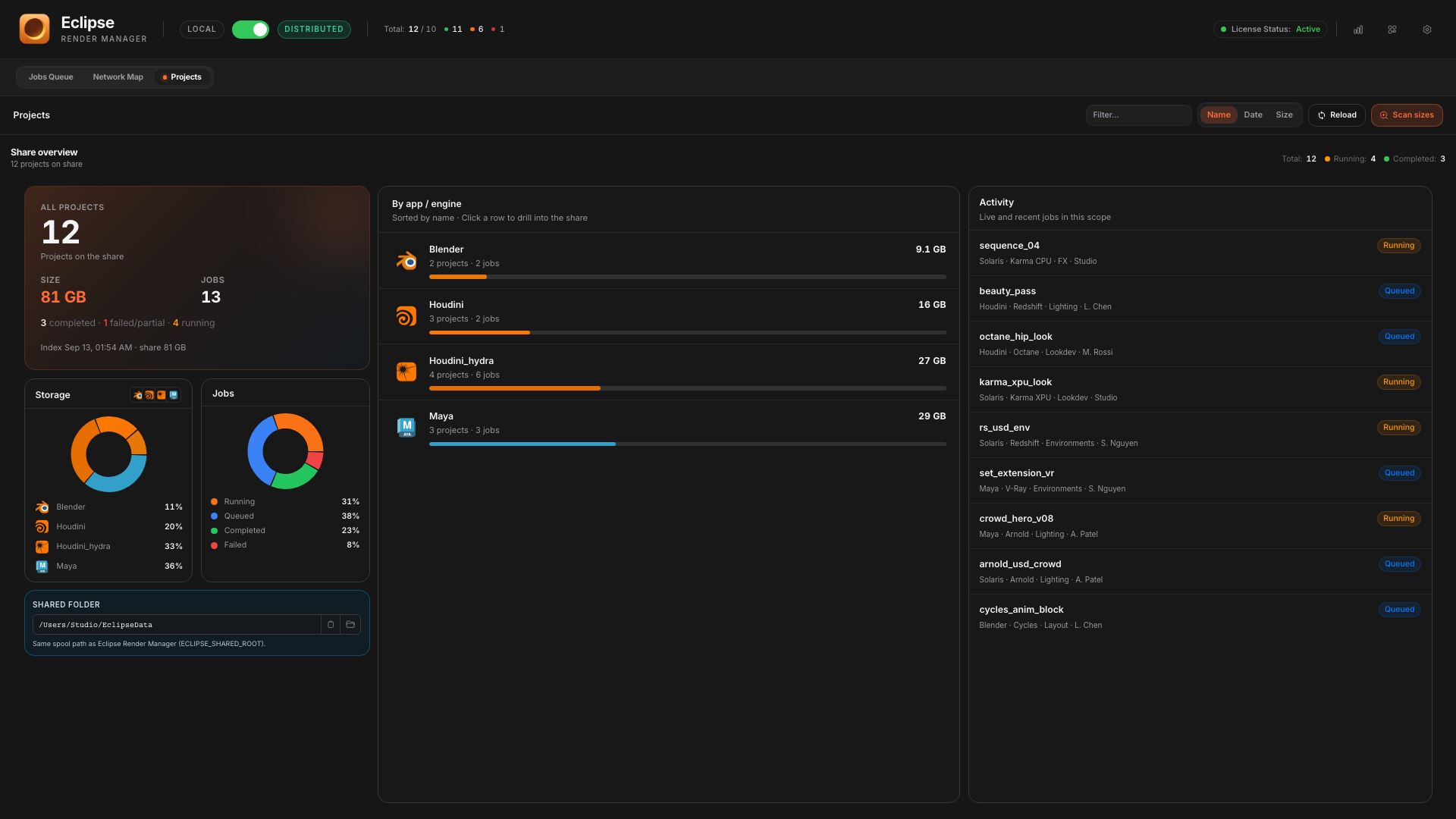
Browse shared roots, open project folders, and keep farm output organized the way a small studio actually works.
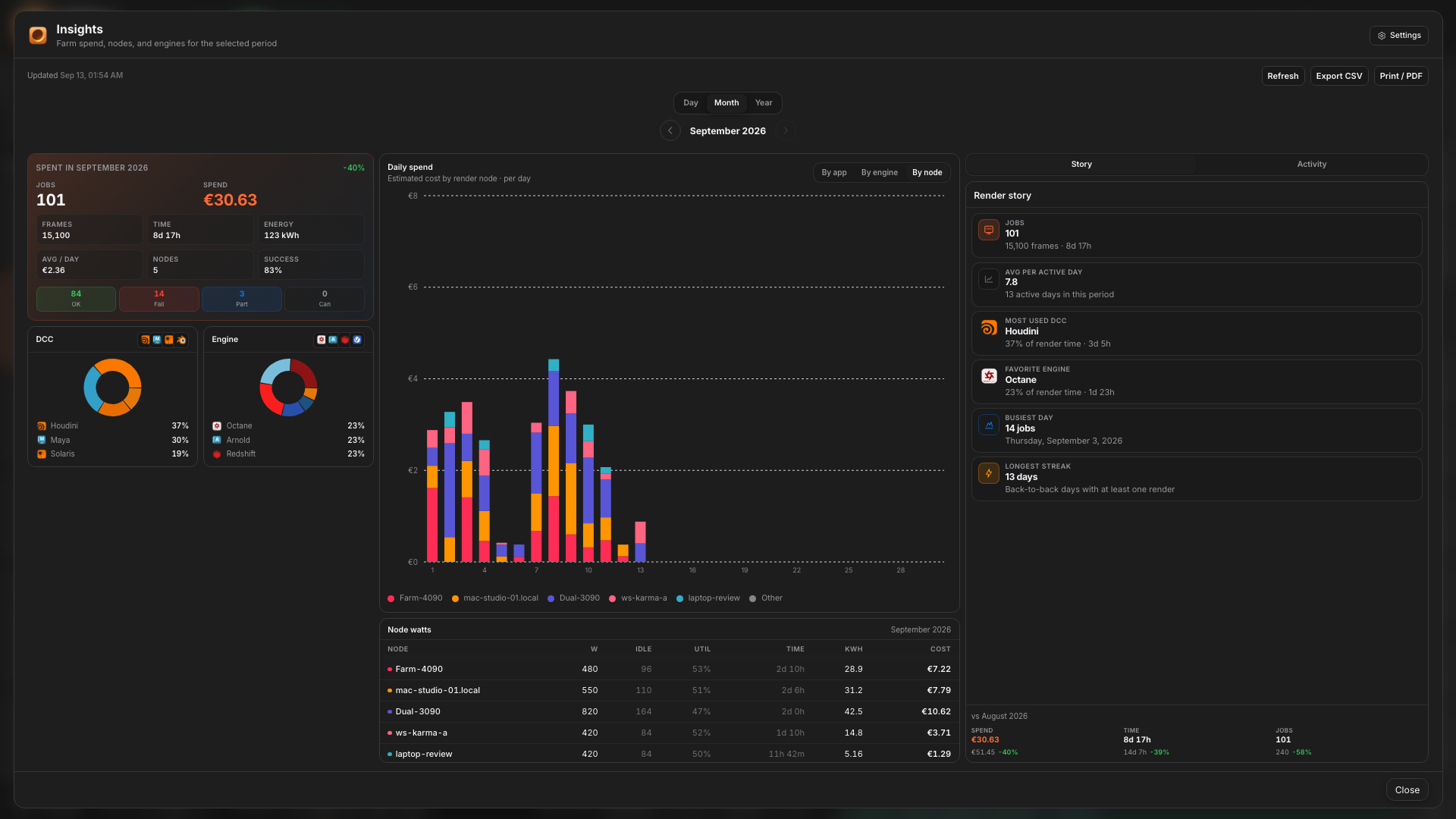
Farm Insights
Which node burned the night.
Distributed Insights shows spend by node, DCC and engine mix, and the render story across the farm.
Start simple
Local on day one. Distributed when you add machines.
You can run Distributed with one Render Node on the same PC. Local stays available for the single-workstation queue with zero network setup.