Getting started
Introduction
Learn what Eclipse Render Manager is and how this user guide is organized.
Eclipse Render Manager is desktop software for artists and studios who need a reliable local render queue and an optional in-house render farm, without cloud lock-in.
You submit jobs from your DCC (Houdini, Solaris, Maya, or Blender), monitor progress in one dashboard, inspect logs and previews, and when you are ready, distribute frames across Windows and macOS machines on your network.
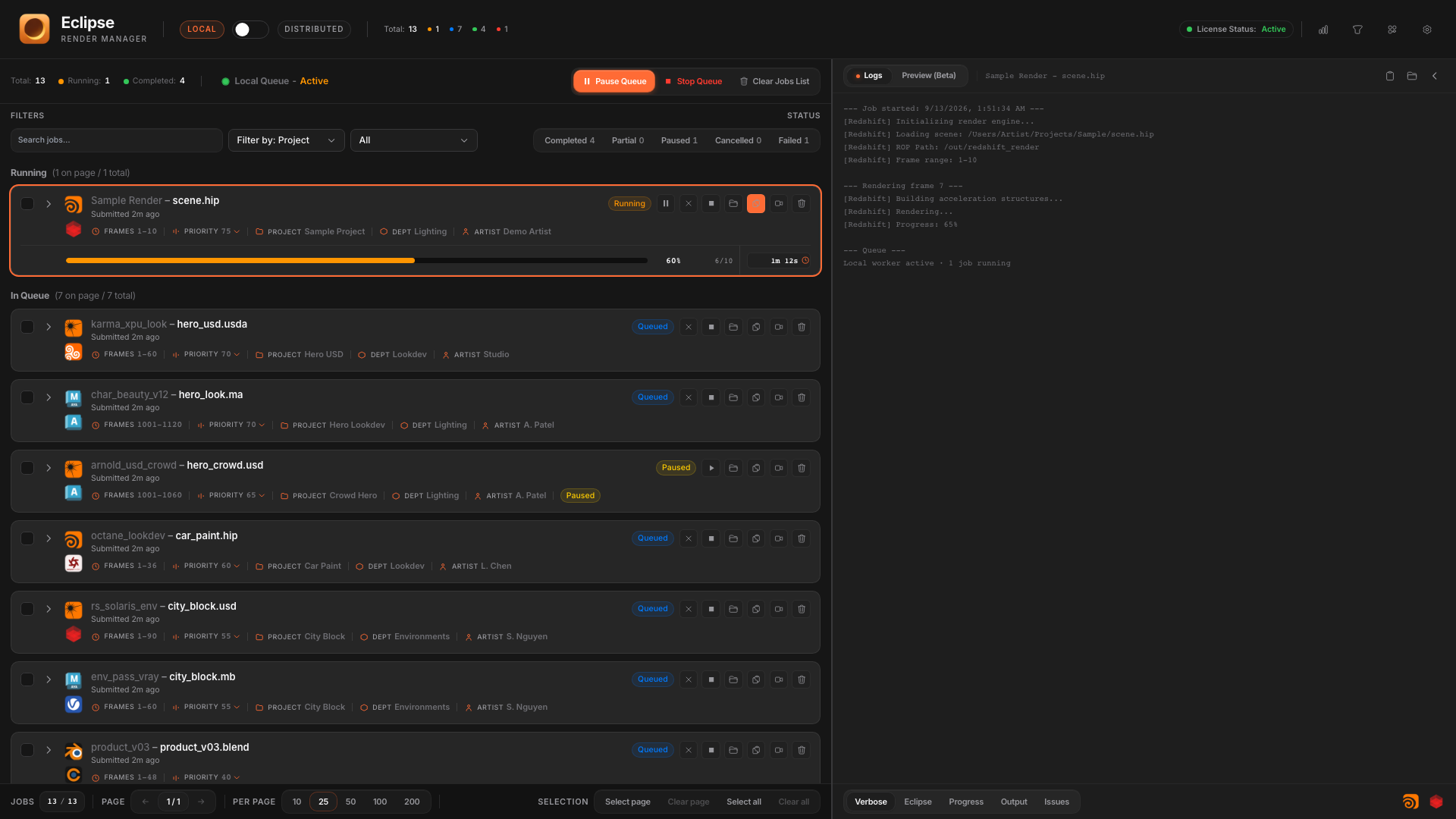
What you can do
- Queue and prioritize local renders from supported DCCs and engines.
- Watch live logs and frame previews while jobs run.
- Connect machines as a private farm with a coordinator and render nodes.
- Split work across GPUs, pause or prioritize individual nodes, and track farm projects.
- Review Insights for local and farm render time over weeks and months.
How to use this guide
Start with Getting started if you are new. Use Interface when you need a panel-by-panel reference. Jump to Integrations for DCC-specific submit workflows, and Distributed rendering when you bring more machines online.