Render Node
The worker.Claim. Render. Report.
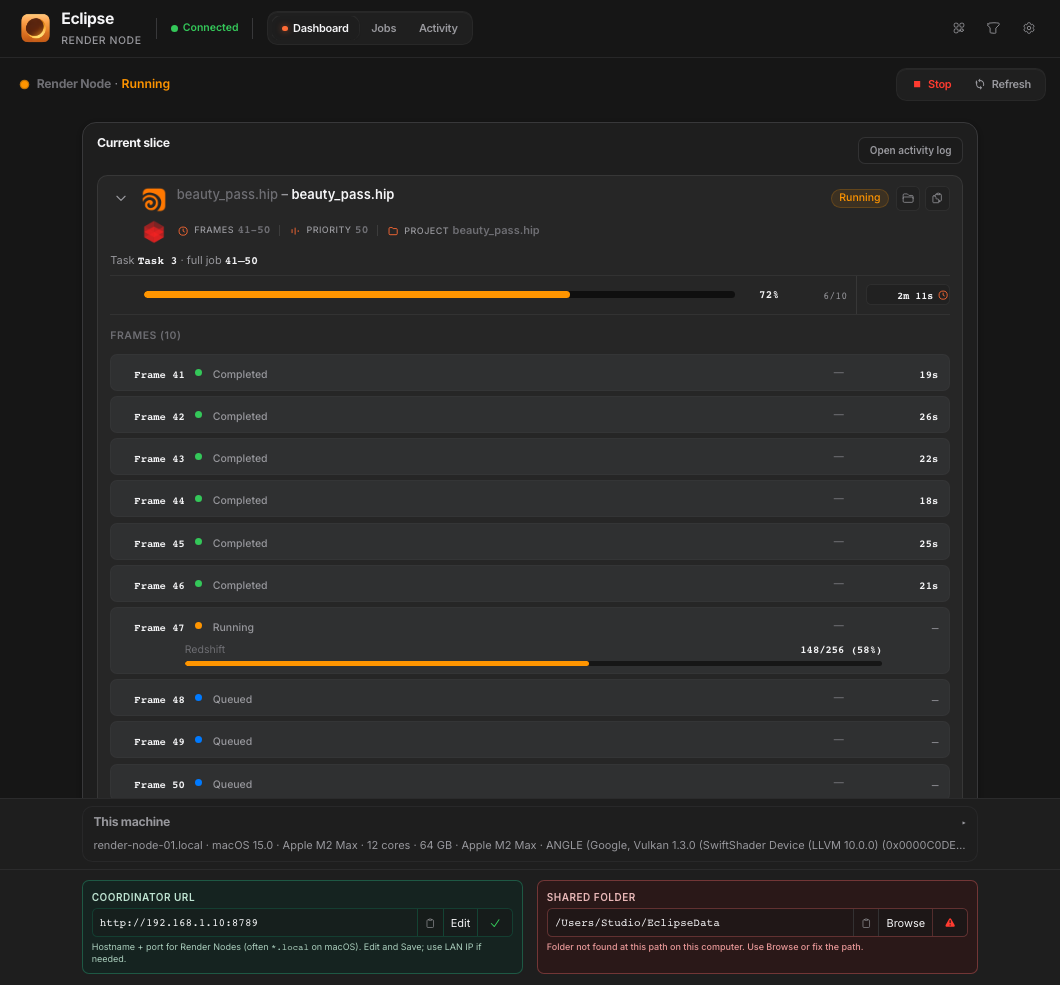
Render Node is the farm worker app. Install it on every machine that should render, point it at the Coordinator, and it pulls slices while Eclipse watches the queue.
Windows and macOS. Up to 10 nodes on a Distributed farm. No Linux nodes.
What it is
Not the dashboard. The machine that works.
Eclipse Render Manager is where you submit and watch. Render Node is what runs on the boxes that burn frames. Same farm. Different install.
- Connects to the Coordinator with the same URL artists use.
- Reports hardware, engines, and status into Network Map.
- Claims slices, renders, writes frames to the shared folder.
- Can sit on the artist PC too, if that box should join the pool.
Install
One Render Node per machine that renders.
After Eclipse runs the Coordinator on one machine, every worker install points at that connection URL and sees the same shared storage.
- Install matching DCC and renderer versions your jobs need.
- Mount the same project share the farm uses.
- Paste the Coordinator URL and confirm the node appears online.
- Leave it Active when the box should take work.
How Distributed starts
One ERM. Render Node on every machine that renders.
- 1
Install Eclipse Render Manager on one PC. That machine submits jobs and runs the Coordinator.
- 2
Install Render Node on every box that should render, including the ERM PC if you want it in the pool.

Your PC
ERM + Render Node
render-win-01
Render Node
render-win-02
Render Node
mac-studio
Render Node
Scheduling
Active on the farm. Paused at the desk.
Keep Render Node connected so the Coordinator still sees the machine, but pause claiming when you need the GPU for interactive work.
- Active: free capacity can claim the next slice.
- Busy: a slice is rendering and reporting progress.
- Paused: online, but not taking new farm work.
- Stop the app when the machine should leave the pool entirely.
Scheduling
Active when it should work. Pause when it should not.
This machine accepts farm work. Free slots claim the next slice.
Node Weights
Right share of the shot.
Light to Max on this Render Node. The farm finishes together instead of parking the fast machine idle.
- Weight on the node profile the Coordinator reads.
- Stronger machines take more of the frames.
- Less idle without the one-frame reclaim tax.
Node Weights
100 frames · mixed machines*
Finish together

No idle gap
2× RTX 4090
56 frames
M3 Max
33 frames
Laptop GPU
11 frames
Idle 0
* Simulation to show how Node Weights work. Not live farm data.
GPU Frame Distribution
One box. Every GPU earns a slot.
On Redshift and Octane, turn GPU split on and each enabled card becomes its own slot. More parallel claims on that Render Node. Still one physical machine for farm capacity.
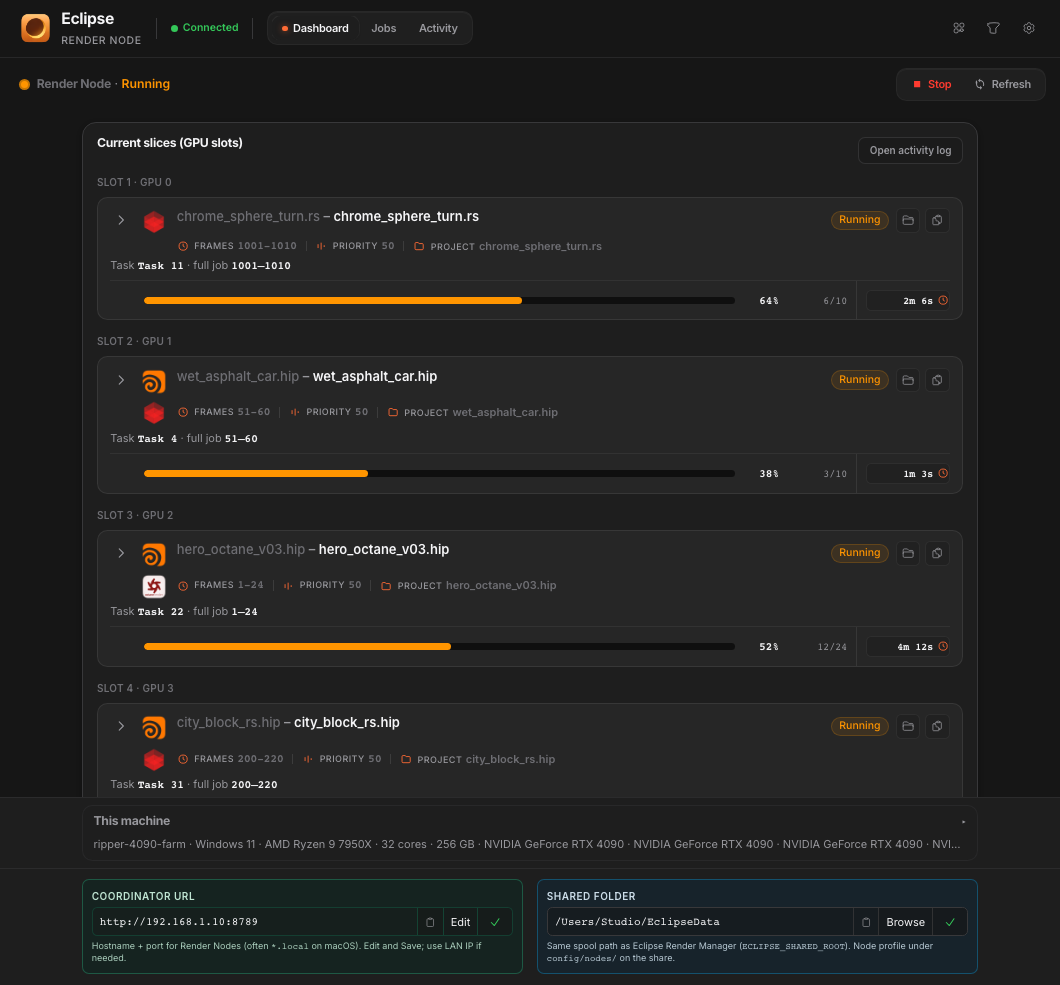
- Off by default. A multi-GPU box still renders one slice at a time until you enable it.
- Each slot shows up under that hostname (for example .gpu0 / .gpu1).
- Stopping Render Node releases every active GPU slot on that machine.
GPU split on
4 GPUs on this node → 4 slots at once
One Render Node
chrome_sphere_turn.rs
wet_asphalt_car.hip
hero_octane_v03.hip
city_block_rs.hip
On the farm
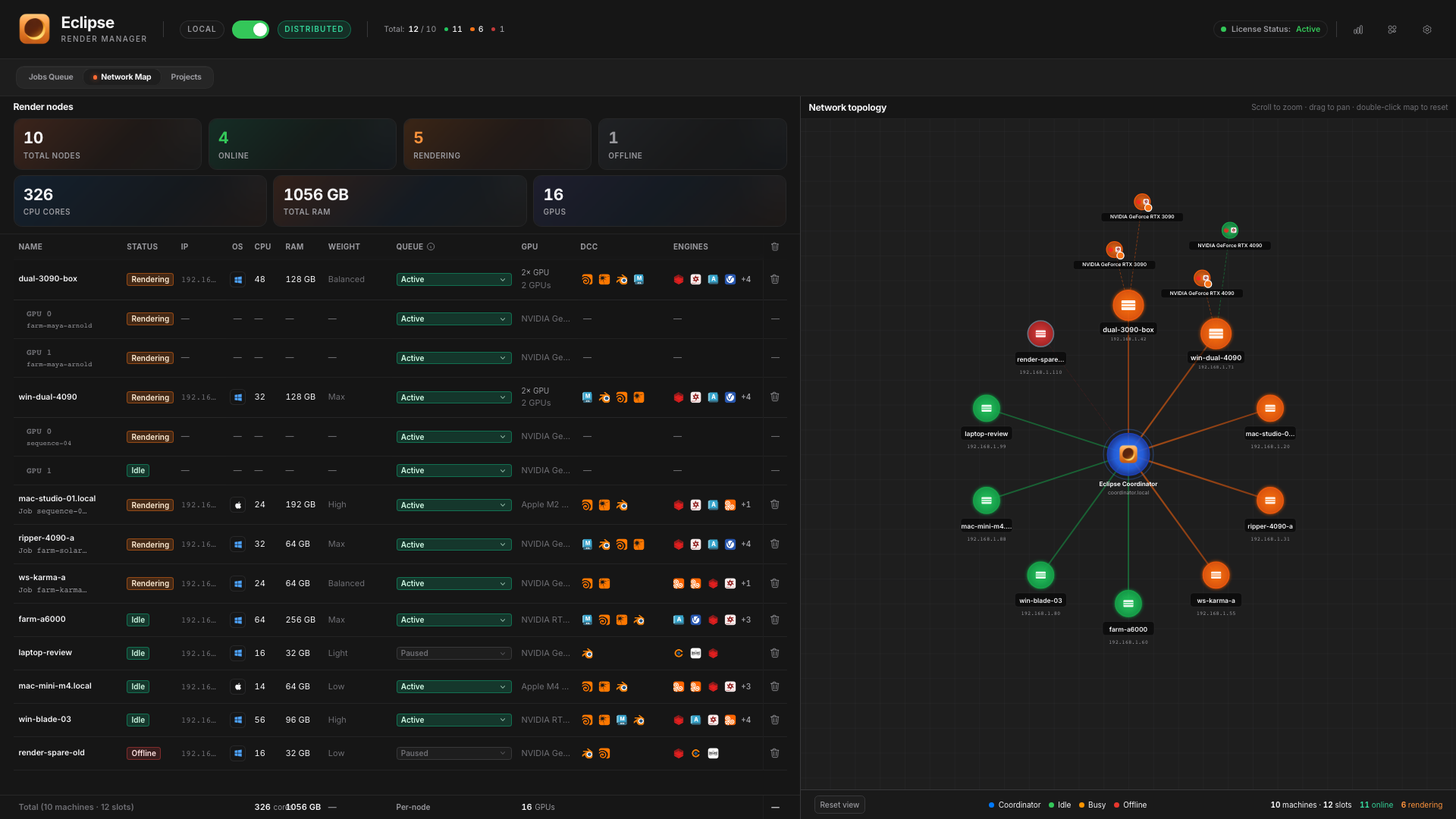
Seen in Network Map. Fed by the share.
When the node is healthy, Eclipse shows it online. Jobs land as slices. Output goes back to the shared render path you set up for Distributed.
- Heartbeat and status live in Network Map.
- Engines and paths must match what the job expects.
- Open the output folder from the farm job card when frames land.
- Relaunch failed slices from Eclipse without a new DCC submit.
Part of Distributed
Coordinator plans. Render Nodes deliver.
Set up the farm once, then grow the pool machine by machine. Local stays available when you only need one workstation.