Houdini
 Redshift
 Octane
 Arnold

Eclipse Render Manager
One place to monitor and manage all your renders, from a single Workstation to an entire Studio.
Overview
Keep track of every render in one place. See what's rendering, what's finished, and what's next, all from one simple dashboard.
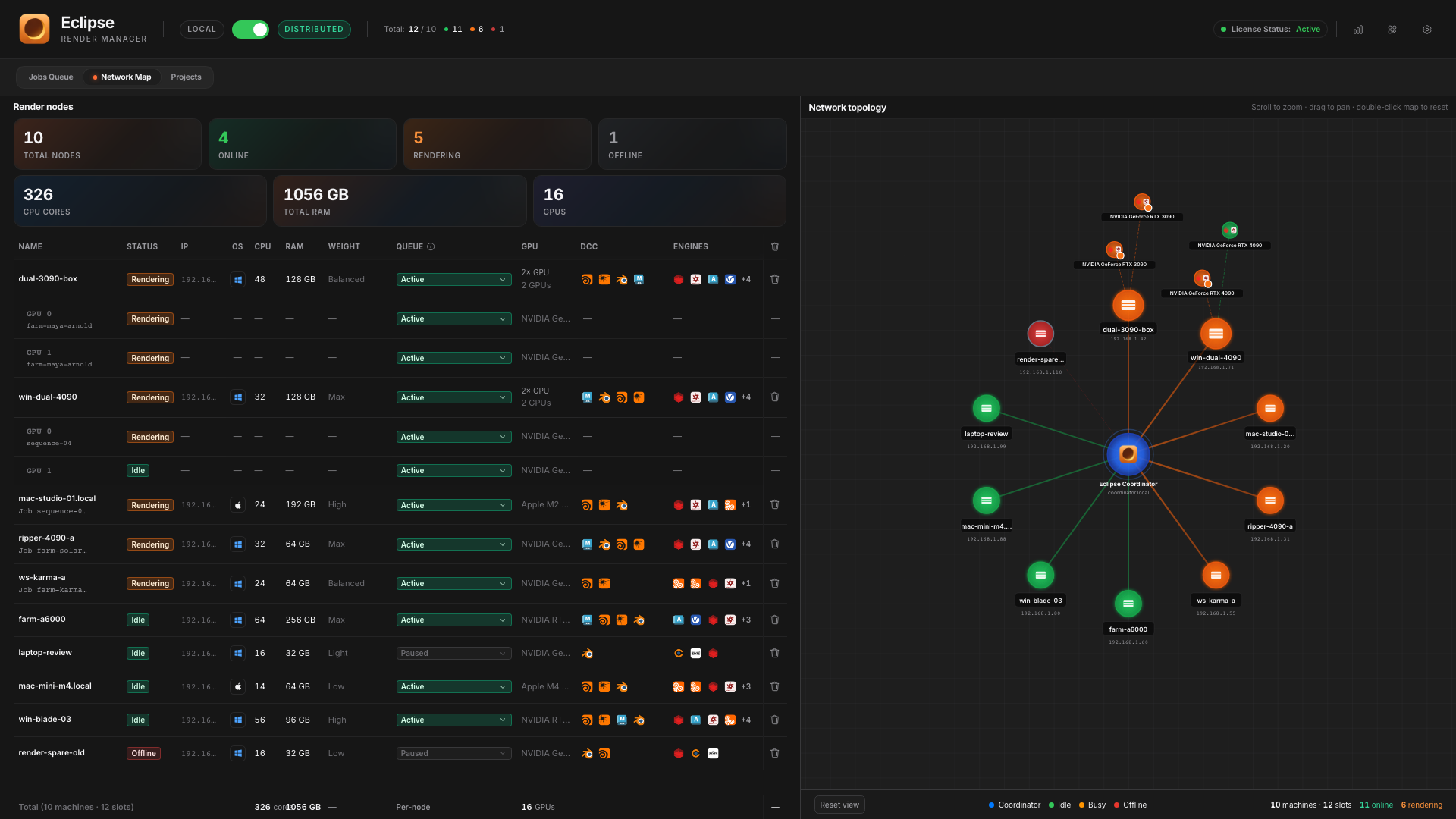
Compatibility
Send a render from your 3D software. Eclipse handles the rest, on this computer or across your network.
Performance
Skip repeated scene prep on supported DCC workflows. More time rendering, less time loading.
* Houdini + Redshift comparison below. Scene reuse and speed gains depend on the render path and task size.
Same job · 100 frames · prep 1:12 + render 0:32
Other
2h 53m
Eclipse
 54m 32s
You save 1h 58m on this shot alone.
Other managers
0s
Calculating & loading scene (1:12)
Eclipse
0s
Calculating & loading scene (1:12)
Houdini + Redshift example: per-frame loading versus scene reuse. Results vary by workflow.
Reloads every frame
Est.: 2h 53m
Scene loads once
Est.: 54m 32s
Node Weights
Balance the split around each machine’s power. Less uneven work. More time rendering.
Node Weights
100 frames · mixed machines*
Finish together
No idle gap
2× RTX 4090
56 frames
M3 Max
33 frames
Laptop GPU
11 frames
Idle 0
* Simulation to show how Node Weights work. Not live farm data.
Two ways to work
One app, two modes. Same dashboard. Switch anytime with one toggle.
Jobs on your machine, one after another.
Local render queue
One artist, one computer. A reliable queue with no network or coordinator.
Local mode
This machine · queue
hero_shot
RunningMaya · 120 frames

product_turntable
QueuedBlender · 48 frames
lookdev_v03
QueuedHoudini · 12 frames
One computer. Jobs in order.
Submit
Local renders on this machine, one job at once. Distributed sends work to the Coordinator, then to compatible Render Nodes.
Network PC → Coordinator → Render Nodes. More compatible nodes, more tasks in parallel.
Computer on the network
Any machine that submits
Eclipse Coordinator
Same PC or another on the network. Runs the farm.
Render Nodes
Parallel work across the farm.
Submission modes
Pick how your files reach the farm. Available modes depend on your DCC and renderer.
Scattered assets, one shared package. Eclipse collects supported scene dependencies and updates paths. Review any missing-file warnings before submitting.
1. Gather
Scene + textures + caches from messy drives.
2. Package
One tidy project lands on the share.
3. Resolve
Every Render Node opens clean paths.
Day to day: Collect & Package. Shared Path for share-ready assets. Standalone with a licensed renderer CLI. USDZ Package for supported Solaris workflows.
Preview
Scrub saved frames, switch AOVs and channels, catch issues early.* Includes multipart and multilayer EXR in supported workflows.
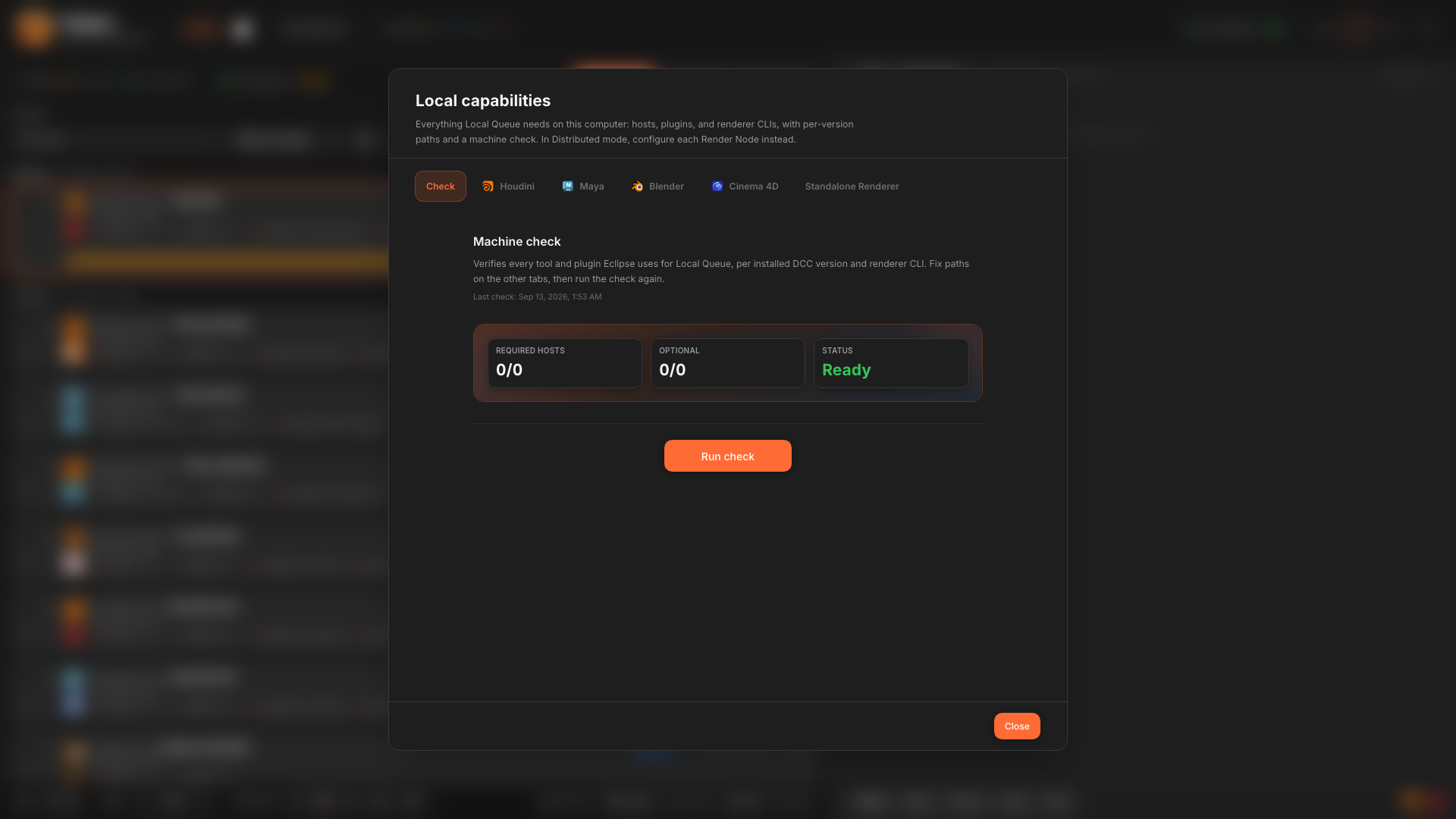
Setup
Hosts, plugins, and renderer CLIs in one place. Check paths here; renderer licenses are separate.
How Distributed starts
Install Eclipse Render Manager
On one PC. That machine submits and runs the Coordinator.
Install Render Node
On every machine that should render, including the PC where ERM is running.
Insights
Which DCC burned the night, which engine won the week, and how quiet last month was.
Insights
Farm spend, nodes, and engines.
September 2026
Daily spend
Estimated cost by render node · per day
Spent in September 2026
0
Jobs
€0.00
Spend +128%
582 OK · 41 Fail · 17 Part
DCC

Engine
Jobs
640 jobs · 96,000 frames
Most used DCC
Houdini · 42% of time
Favorite engine
Redshift · 34% of time
Busiest day
Sep 12 · 38 jobs
Longest streak
22 days back-to-back
vs quieter August 2026
Projects
Projects browses the shared folder by show. Open a project to see linked renders, disk use, and what is still running.
All projects
0
Projects
0 GB
On share
0
Linked jobs
Browse the share by show folder. Open a project to see linked renders without hunting job ids.
Storage by app
Maya29 GB Solaris27 GBHoudini16 GBBlender9 GB
Shared folder
/Users/studio/EclipseData
Projects on the share
Click a folder to inspect linked jobs
Selected project
Ep 03
Solaris · Shared Path
Size
27.4 GB
Linked jobs
6
Activity in this project
beauty_pass
Solaris · Karma · Lighting
volume_holdout
Solaris · Redshift · FX
lookdev_hero
Solaris · Karma · Lookdev
Producers think in shows. Projects maps share folders to live farm jobs and disk use.
GPU Frame Distribution
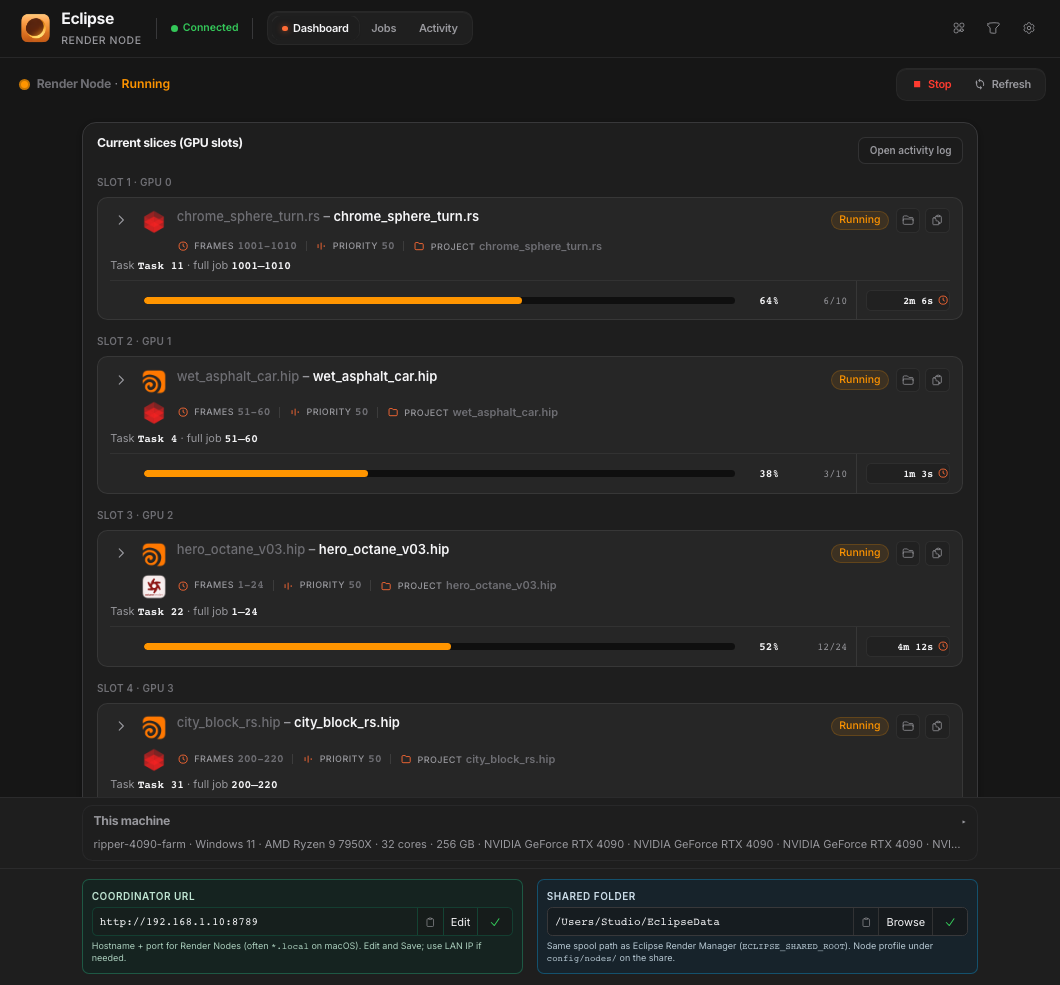
Enable split on the job and node for supported Redshift or Octane tasks. More cards, more parallel work.
RedshiftOctaneGPU split on
8 GPUs → 8 slots at once
One Render Node
Each enabled GPU gets a slot. Eight cards, eight tasks. Same node.
Notifications
Wire a Discord channel in Settings. Pick which statuses fire. Scene, frames, and DCC land in your studio channel so you can keep working.
EclipseWebhook#render-alertsScene
beauty_pass.hip
Frames
1-240
DCC
Houdini · Redshift
Job
job_8f2a
EclipseWebhook#render-alertsScene
crowd_main.ma
Frames
88-90
DCC
Maya · Arnold
Job
job_3c91
EclipseWebhook#render-alertsScene
env_night.c4d
Frames
1-120 · 3 missing
DCC
Cinema 4D · Octane
Job
job_b7e0
Recap
All the chapters side by side. Drag, scroll, or use the arrows.
13 features
Community
Eclipse is built in the open with artists. Hop in Discord, grab the beta, and start rendering.
FAQ
Other managers, Local vs Distributed, setup, speed, and what Eclipse supports.
A lot of legacy managers feel stuck in time: slower updates, heavier installs, and UIs built for big facilities rather than freelancers and small studios.
Eclipse is built for that gap. Install in minutes, submit from your DCC, and switch Local or Distributed with one toggle. Supported DCC workflows reuse scene preparation across a job or slice to cut repeated loading.
You get a modern queue without babysitting a farm stack you do not need on day one.