How it works
From your DCC to finished frames.
No servers. No setup. Just your machine and Eclipse.
Submit directly from Houdini
After installing Eclipse, you'll find the Eclipse Submitter HDA already available in /out.
Drag one or multiple ROPs into the HDA. Frame ranges are controlled directly from your ROP nodes, exactly how you're already used to working.
Click Submit.
That's it.
Your renders go straight into your local Eclipse queue.
No extra setup. No export steps. No manual job launching.
Just your scene, flowing directly into your render pipeline.
Submit directly from Eclipse
When you need full control, submit directly from Eclipse.
Select your Houdini build, choose your scene, and configure render settings in one place.
Frame ranges, output paths, EXR settings, priority, and metadata are all clearly structured.
Production-ready workflow from first submit.
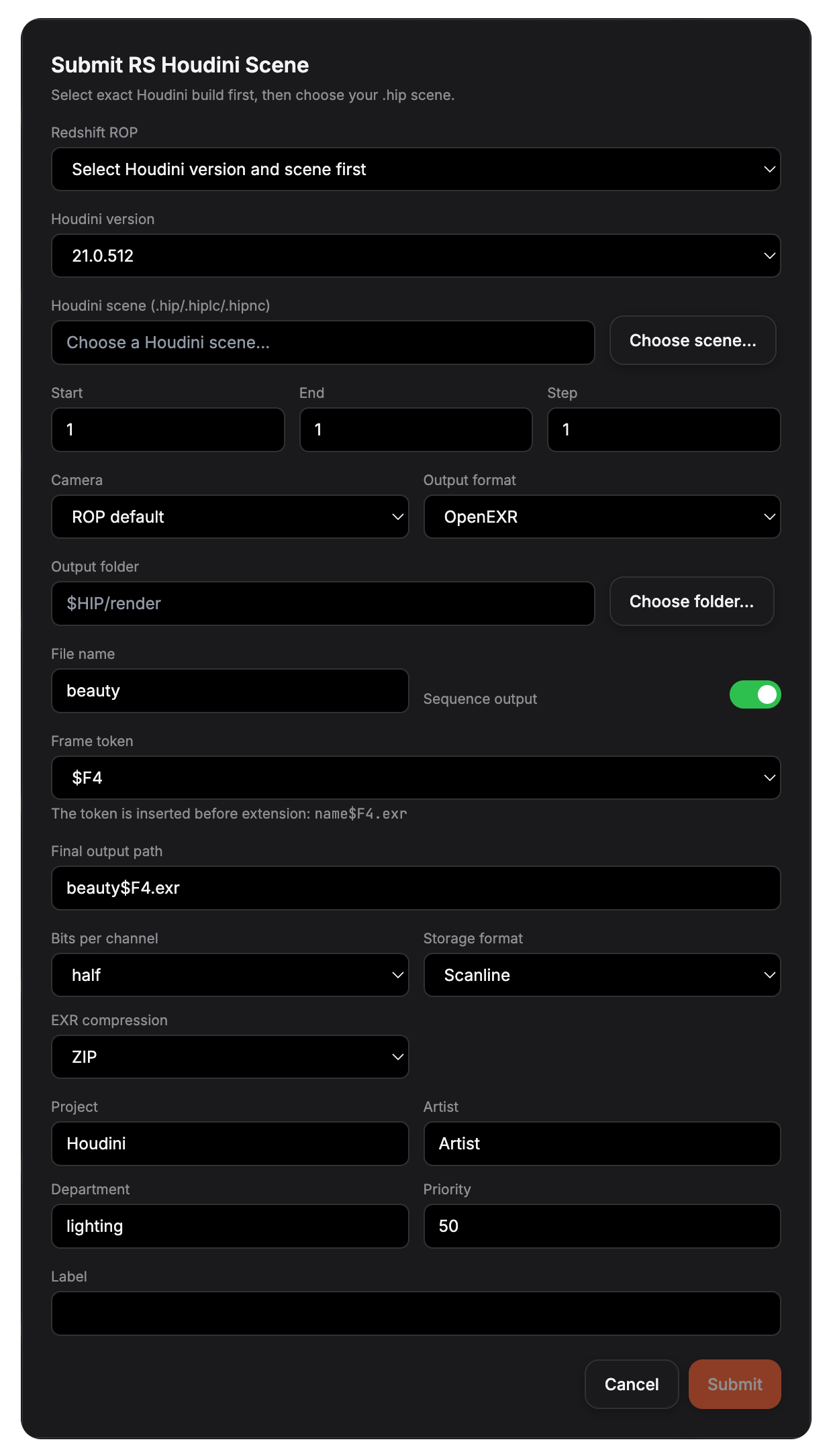
Click Submit.
Your job enters the queue instantly.
No command line.
No external scripts.
No hidden processes.
Just a clean submission interface built for real production work.
Start the Queue


ROP_A
Queued/out/redshift_render
ROP_B
Queued/out/redshift_render
ROP_C
Queued/out/redshift_render
Once submitted, your job appears instantly inside Eclipse.
Click Start Queue and Eclipse takes control.
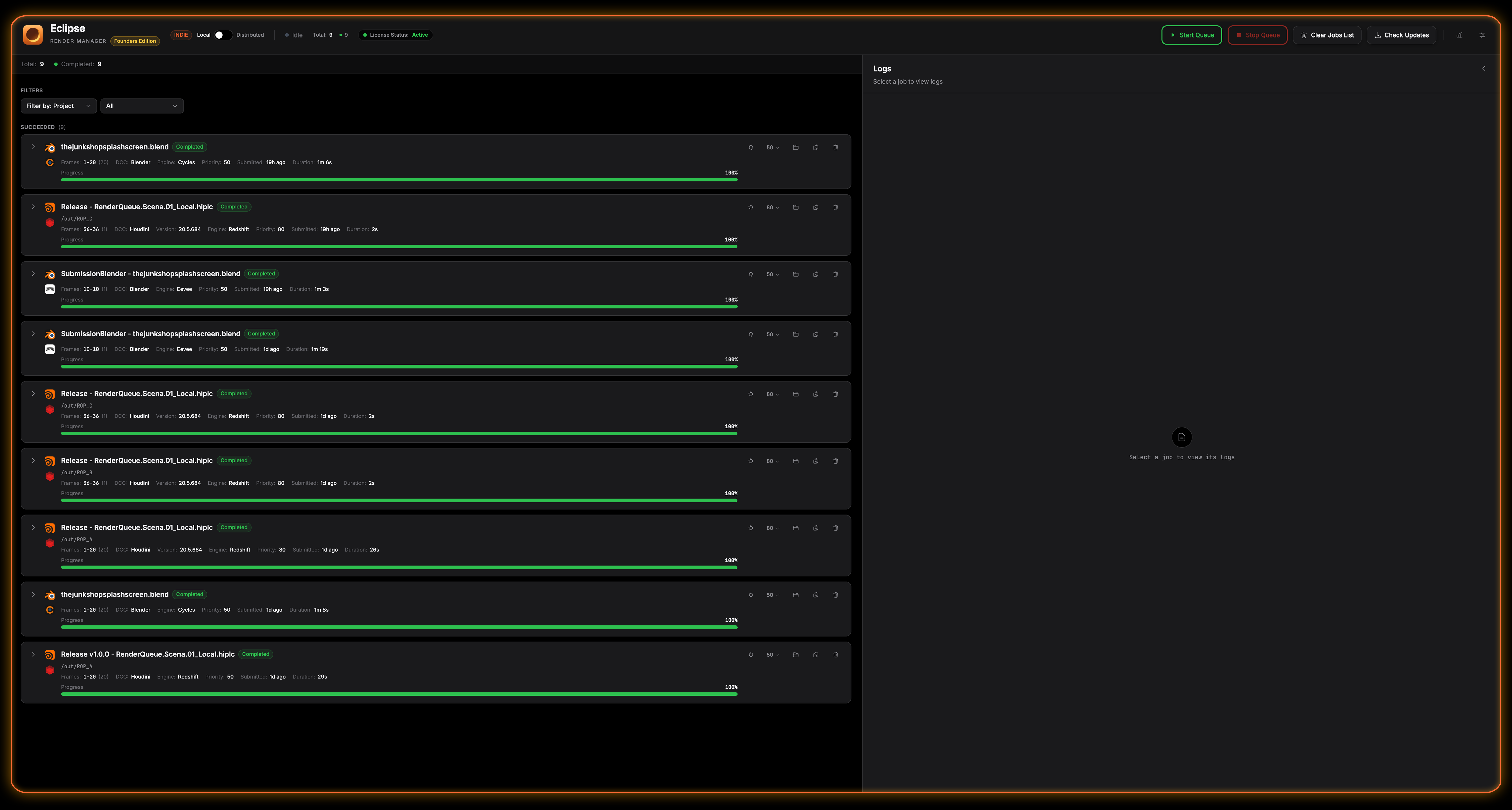
It processes each ROP sequentially, tracks progress, handles failures, and keeps your render pipeline moving.
You focus on creating.
Eclipse handles the rest.
Keep Creating
Eclipse runs the queue.
You stay in your flow.
No supervision.
No babysitting.